Hugging Face
Configuring Hugging Face in Aimogen Pro, why you must supply the model list yourself, and how to point the plugin at dedicated Inference Endpoints.
Hugging Face gives access to a very large catalogue of open models, through both a shared router and dedicated Inference Endpoints.
Get a token#
- Sign in at huggingface.co.
- Create an access token at huggingface.co/settings/tokens.
Configure#
Aimogen Pro › Settings › API Keys › HuggingFace AI API Keys
One token per line, Test API key, save.
You must add the models yourself#
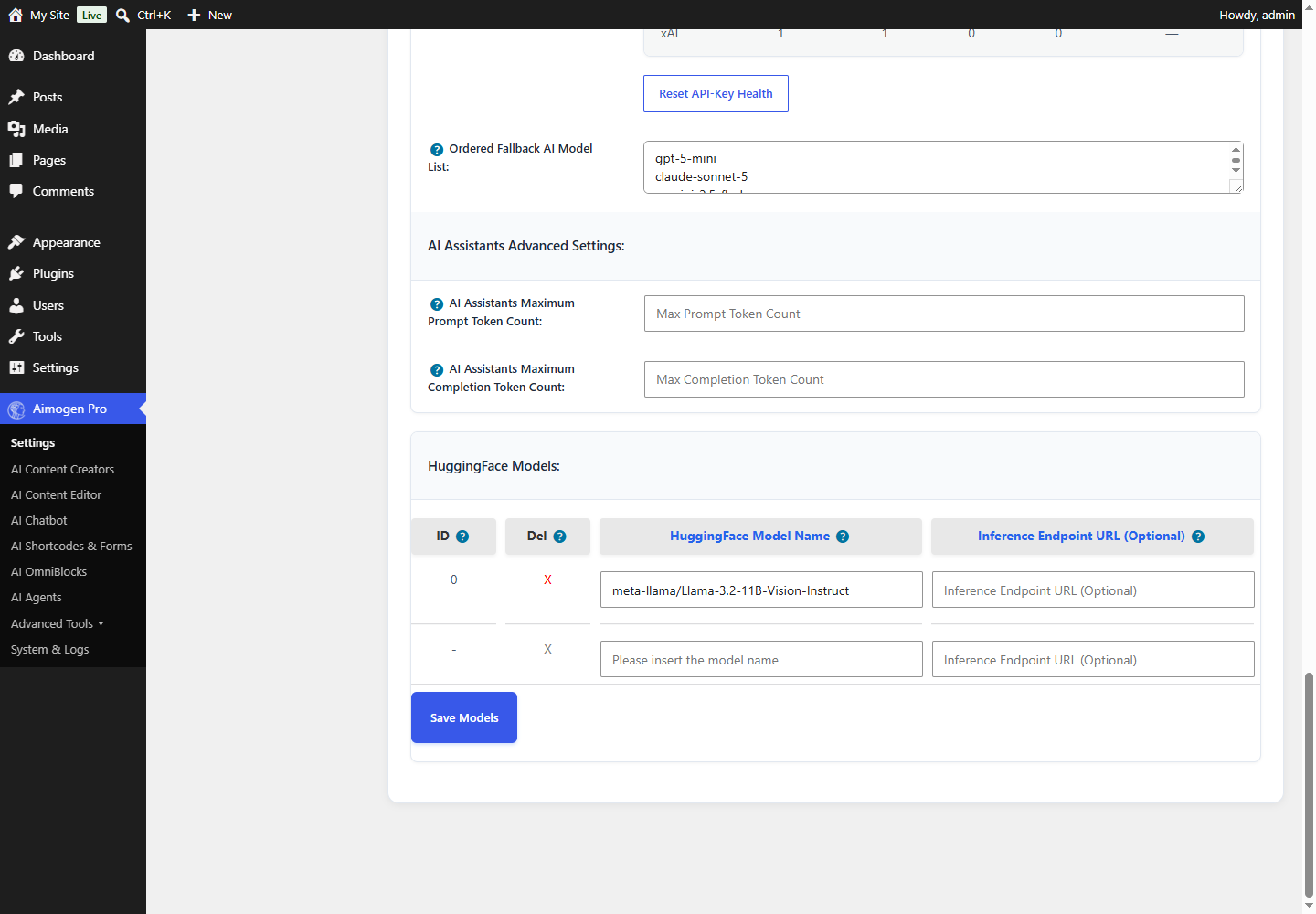
This is the important difference from every other provider. Hugging Face hosts hundreds of thousands of models, so the plugin cannot ship a useful list. After adding your token:
- Go to Settings › Advanced AI Settings.
- Find the Hugging Face model list.
- Add each model you want, with its repository identifier (for example
meta-llama/Llama-3.3-70B-Instruct). - For a dedicated Inference Endpoint, also supply its endpoint URL.
The entries are stored in the aiomatic_huggingface_models option as model / endpoint URL pairs. Only the
models you add appear in the model selectors.
Router versus Inference Endpoints#
| Router | Inference Endpoint | |
|---|---|---|
| URL | router.huggingface.co/v1 | Your own endpoint URL |
| Cost | Pay per token | Pay per hour the endpoint runs |
| Cold starts | Possible | None while running |
| Suitable for | Evaluation, low volume | Production, steady volume |
| Configuration | Model identifier only | Model identifier plus endpoint URL |
Create endpoints at ui.endpoints.huggingface.co.
This tutorial was recorded before Aiomatic was renamed to Aimogen Pro. Some labels or interface elements may differ slightly from the current version.
Token limits#
Hugging Face responses are capped by the plugin at AIMOGEN_MAX_HUGGINGFACE_TOKEN_COUNT, which is
2000 tokens in 2.8.8. This is a deliberate guard: many community models behave badly with very
large max_tokens values.
If you need longer output from a Hugging Face model, generate in sections. Every bulk creator supports section-by-section generation — see Bulk creator: keywords and titles.
The Hugging Face Responses API#
Settings › Advanced AI Settings › Enable Usage Of Hugging Face's Responses API
Off by default. Enable only if a model you need requires it.
Common problems#
No Hugging Face models in the dropdown You added the token but not the models. See above.
503 or "model is currently loading" Router cold start. Retry, or move to a dedicated endpoint.
Output is truncated The 2000-token cap. Generate in sections.
The model ignores instructions
Many open models are base or lightly tuned models. Choose an instruction-tuned variant — usually the one
with Instruct or -it in its name.
401 The token lacks the required scope. Create a token with inference permissions.
Endpoints used#
https://router.huggingface.co/v1
https://<your-endpoint>.endpoints.huggingface.cloud
https://huggingface.co/api/models (metadata)Related#
- Ollama — run the same models on your own hardware with no per-token cost
- Custom OpenAI-compatible APIs
Still stuck? Open a support ticket and include the diagnostics from Aimogen Pro › System & Logs › System Info.