Bulk creator: keywords and titles
Complete reference for the Aimogen Pro keyword and title bulk post creator, covering every rule setting from the title source to publishing.
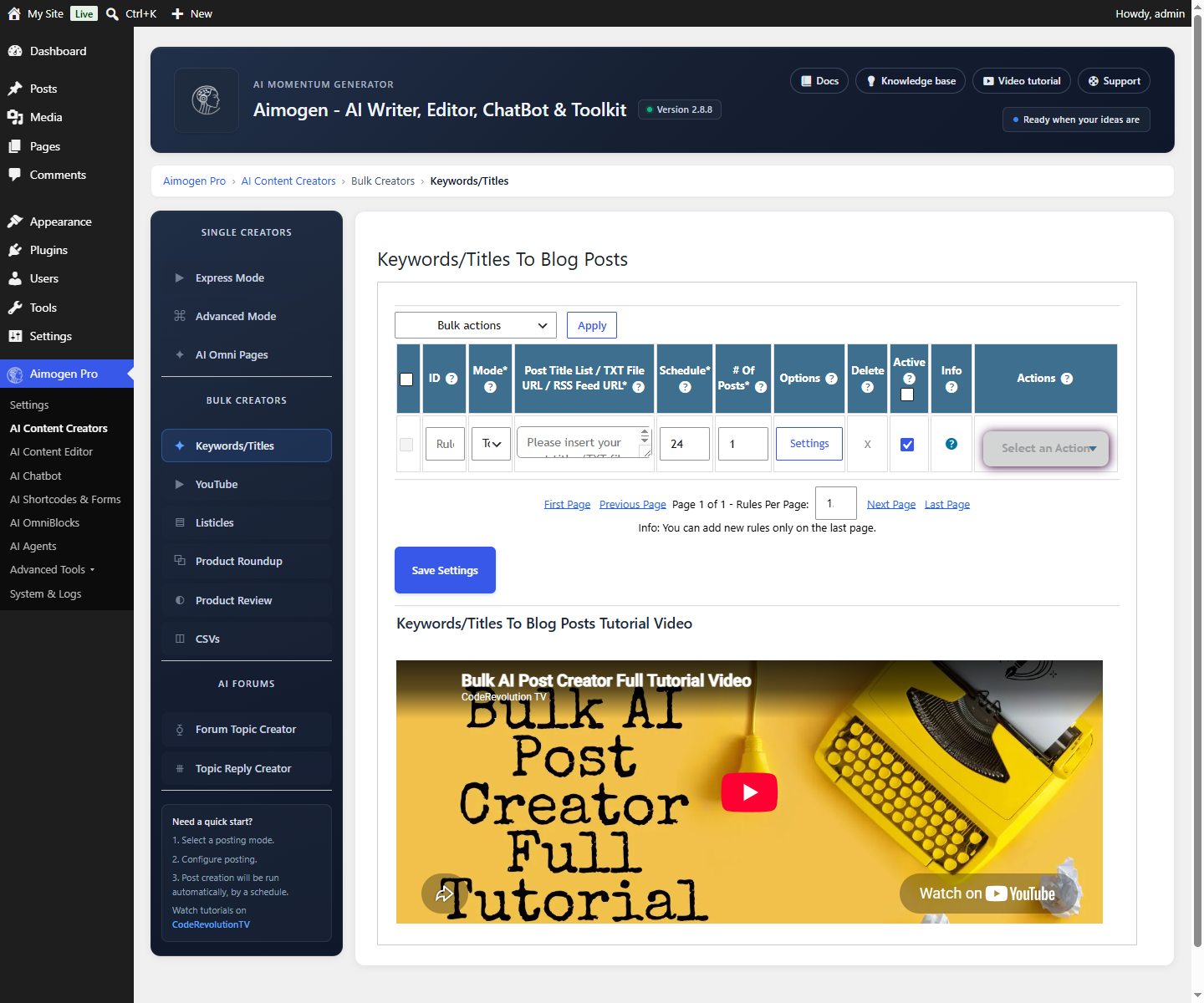
AI Content Creators › Bulk Creators › Keywords/Titles is the main automation tool. You give it a list of keywords or titles; it produces one article per entry, on a schedule.
Every other bulk creator shares most of these settings, so this page is the reference the others link back to.
Creating a rule#
Select Add New Rule, fill in the settings below, save, and then use Run Now to test before enabling the schedule.
Rule basics#
| Setting | What it does |
|---|---|
Rule Description | Your label for the rule. It appears in the activity log, so make it recognisable |
Post Title List | One keyword or title per line. This is the work queue |
Posting Mode | How entries are consumed |
Schedule | How often the rule runs. See Scheduling |
Maximum Number Of Posts To Create Per Run | Start at 1. Multiply by the schedule to understand your real volume |
Do Not Run This Rule On The Following Days Of The Week | Skip weekends, or spread output |
Active | Inactive rules are skipped by the scheduler but can still be run manually |
Titles#
| Setting | What it does |
|---|---|
Post Title Source | keyword: use the list entry verbatim as the title. ai: treat the entry as a topic and have the AI write a title |
Auto Generate Post Title Based On Topics (Optional) | A separate topic list used to generate titles |
Title Generator Method | ai generates the title with a model. serp derives it from search results |
Title Prompt | The prompt used when generating titles |
AI Model For Title Generator | Use a cheap model here. Titles are a few dozen tokens |
Process Each Title/Topic Only Once | Marks entries as used so they are not repeated. Leave on unless you want a rule to cycle forever |
Structure#
| Setting | What it does |
|---|---|
Post Sections List (Optional) | A fixed outline. Leave empty to have the AI generate one |
Number Of Content Sections To Generate | How many sections when generating an outline |
Add Sections To Content As | Markup for section titles: h2, h3, b, i, bi, p, x (no wrapper) or no (drop the heading text entirely) |
Number Of Paragraphs Per Section | Guides length per section |
Add Article Table Of Contents plus Article Table Of Contents Section Header Text | Inserts a TOC |
Add Article Q&A Section plus Article Q&A Section Header Text | Adds a question-and-answer block, which often earns rich results |
Article Outro Section Header Text | Heading for the conclusion |
Prompts and models per stage#
Each stage has its own prompt and model:
| Stage | Prompt setting | Model setting |
|---|---|---|
| Title | Title Prompt | AI Model For Title Generator |
| Introduction | Article Intro Prompt | AI Model For Intro Generator |
| Sections outline | Article Sections Prompt | AI Model For Sections Generator |
| Body | Content Prompt | AI Model For Content Generator |
| Q&A | Article Q&A Prompt | AI Model For Q&A Generator |
| Conclusion | Article Outro Prompt | AI Model For Outro Generator |
| Excerpt | Excerpt Prompt | AI Model For Excerpt Generator |
Placeholders available in these prompts include %%post_title%%, %%topic%%, %%sections%%,
%%current_section%%, %%article_so_far%%, %%last_section_content%%, %%language%%,
%%writing_style%%, %%writing_tone%% and %%related_questions_KEYWORD%%. The full list is in
Placeholder reference.
Use the Above Content Prompt To Create The Entire Article (Not Each Section) switches from per-section generation to a single call. See AI content creation.
Global prompt modifiers#
| Setting | What it does |
|---|---|
Prepend Text To All Textual AI Prompts | Added before every prompt in the rule. Good place for a house style instruction |
Append Text To All Textual AI Prompts | Added after every prompt. Good place for a formatting constraint |
Using these keeps a single instruction in one place instead of repeating it in seven prompts.
Regex on prompts and content#
| Setting | Applies to |
|---|---|
Run Regex On Prompts plus Replace Matches From Regex (Prompts) | The prompt, before it is sent |
Run Above Regex On Prompts | Which prompts the regex applies to |
Run Regex On Content plus Replace Matches From Regex (Content) | The generated content, after it returns |
No delimiters are needed, and you can put one expression per line. Content regex is the usual way to strip a recurring phrase the model insists on adding.
Language, style and tone#
| Setting | Effect |
|---|---|
Content Language | Fills %%language%%. The prompts instruct the model to write in it |
Writing Style | Fills %%writing_style%% |
Writing Tone | Fills %%writing_tone%% |
For translation of finished content rather than generation in another language, see More AI tools.
Media#
| Setting | What it does |
|---|---|
Auto Set A Featured Image For Posts | Master switch for the featured image |
Article Featured Image Source | 0 Royalty Free, 1 OpenAI/AiomaticAPI, 2 Stability.AI, 3 Manual URL List, 4 Midjourney, 5 Replicate, 6 Ideogram, 7 Google, 8 Cloudflare Workers, 9 Random from Media Library |
Prompt For The AI Featured Image Generator | One prompt per line; one is chosen per run. Can also be a URL to a .txt file of prompts |
AI Image Model and Generated Image Size | Per rule, overriding the global defaults |
Default Featured Image List | Used with source 3 |
Search Query Repetition | How the royalty-free search query is repeated across attempts |
Number of Images To Add To The Article | In-article images |
Article Image Source | Same source list as the featured image |
Add An Image To Each Heading Of The Article | One image per section |
Heading Image/Video Location | Above or below the heading |
Number of Social Network Embeds To Add To The Article | Rich embeds from configured social networks |
Add A Related Video To The End Of The Post | Appends a relevant YouTube video |
Full detail in Featured images and in-post media.
Linking#
| Setting | What it does |
|---|---|
Automatic Linking Type | disabled, internal, manual, serp, or the combinations mixed, intserp, manserp, intmanserp |
Maximum Number Of Automatic Links To Add To The Post Content | Cap |
Manual List Of URLs (One Per Line) | Used by the manual types |
Add Nofollow Attribute To External Links | Applies rel="nofollow" |
Post Types Where To Generate Automatic Links | Which post types are eligible internal link targets |
See Internal and external linking.
Taxonomies#
| Setting | What it does |
|---|---|
Auto Add Categories | Have the AI choose categories |
Prompt For The AI Category Generator and AI Model For Category Generator | How they are chosen |
Additional Post Category | Always applied, on top of anything generated |
Remove WP Default Post Category | Drops "Uncategorized" |
Do Not Add Inexistent Categories | Only assign categories that already exist. Leave this on unless you want the AI creating your taxonomy |
Auto Add Tags, its prompt and model, Additional Post Tags | The same, for tags |
Post Custom Taxonomies | Custom taxonomy assignment |
Generation parameters#
| Setting | Default |
|---|---|
Maximum Total Token Count To Use Per API Request | Rule-level output cap |
Maximum Prompt Token Count To Use Per API Request | Rule-level input cap |
Maximum Continue Token Count To Use Per API Request | Cap for continuation calls |
AI Content Minimum Character Count | If output is shorter, the plugin asks the model to continue |
AI Temperature, AI Top_p, AI Presence Penalty, AI Frequency Penalty | Per rule, overriding the global defaults |
See Tokens, context and output length.
Content wrapping and cleanup#
| Setting | What it does |
|---|---|
HTML Text To Prepend To AI Created Content | Fixed HTML before the article — a disclosure notice, for example |
HTML Text To Append To AI Created Content | Fixed HTML after |
Strip Title From Content | Removes a repeated title from the body, which some models add |
Custom Shortcode Creator (Optional) | Define your own %%shortcode%% values, optionally AI-generated, usable in every prompt in the rule |
Do Not Spin Posts Generated By This Rule | Exempt from the global spinner |
Do Not Translate Posts Generated By This Rule | Exempt from global translation |
Publishing#
Covered in full on Publishing options: post author, status, item type, format, parent, comments, pingbacks, publish date range, custom fields, WPML or Polylang language, and overwrite behaviour.
Testing a rule#
- Save the rule with Active off.
- Use Run Now.
- Read the produced post properly.
- Check System & Logs › Activity Logs for warnings even if a post appeared.
- Adjust the specific stage that produced whatever you did not like.
- Only then set Active on.
Common problems#
Nothing is created Work through No posts are being created.
Posts are too short
Raise the token caps, raise AI Content Minimum Character Count, increase sections and paragraphs per
section, and ask for a length in the content prompt.
Every post reads the same Temperature too low, or the prompts are too prescriptive. Add variety with spintax and random sentences.
Titles are repeated
Process Each Title/Topic Only Once is off, or the list has duplicates.
The same image appears everywhere Diversify the image prompt list, or switch source. Since 2.8.8 each royalty-free image is used only once per created post.
Related#
Still stuck? Open a support ticket and include the diagnostics from Aimogen Pro › System & Logs › System Info.