Microsoft Azure OpenAI
Configuring Azure OpenAI in Aimogen Pro, including endpoint format, deployment name mapping, the four separate API version settings, and Azure-specific limitations.
Azure OpenAI serves the same models as OpenAI from Microsoft infrastructure, with enterprise agreements, regional data residency and Azure billing. Aimogen Pro supports it as an alternative destination for the OpenAI-compatible slot.
Prerequisites#
- An Azure subscription with Azure OpenAI Service approved for your tenant.
- An Azure OpenAI resource created in a supported region.
- At least one deployment — Azure requires you to deploy a model under a name of your choosing before you can call it.
The Azure OpenAI documentation covers resource creation. The Knowledge Base also carries a walkthrough written for this plugin, linked from the settings screen.
Configure#
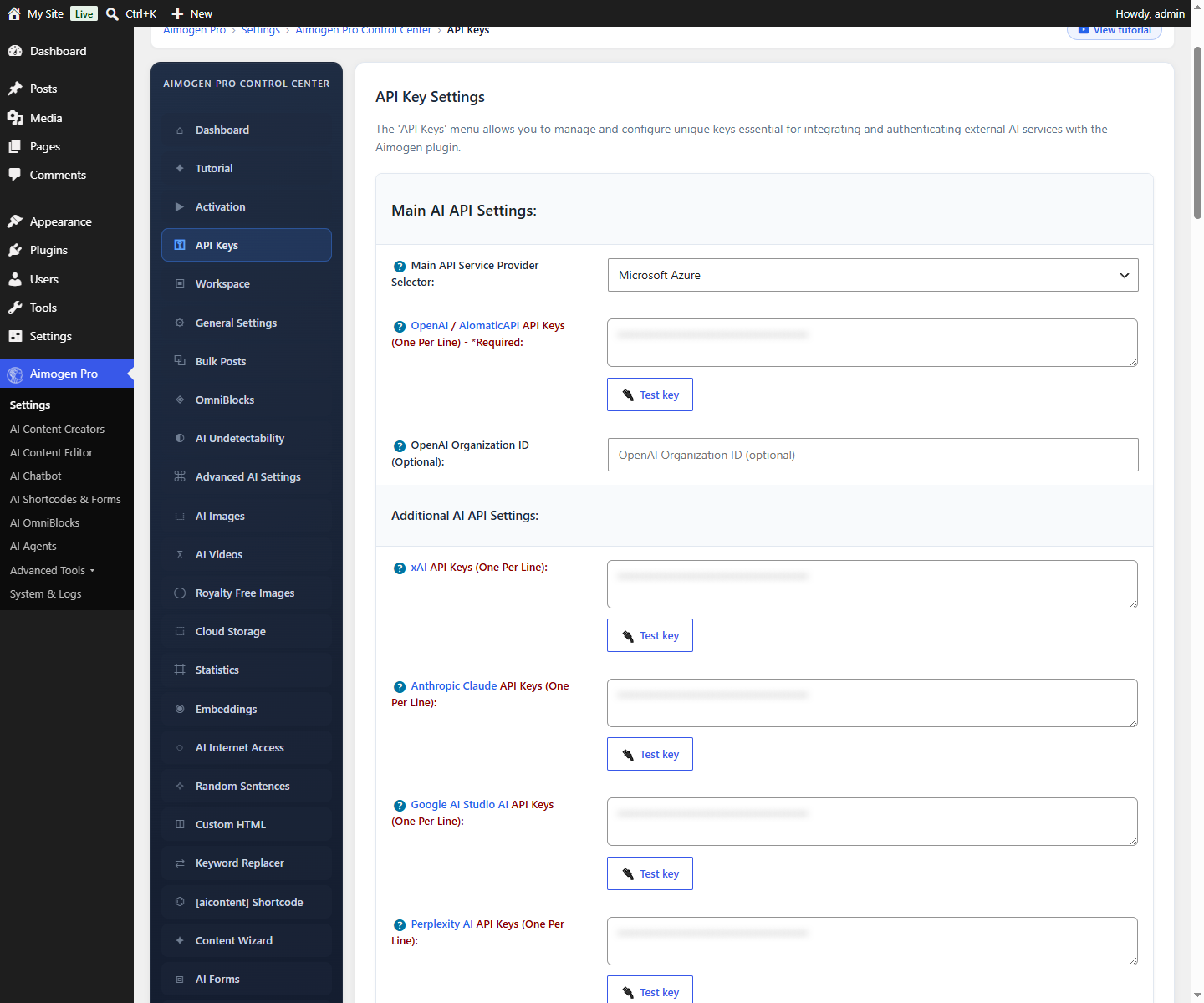
Aimogen Pro › Settings › API Keys
| Setting | Value |
|---|---|
| Main API Service Provider Selector | azure |
| OpenAI / AiomaticAPI API Keys | Your Azure OpenAI key (Key 1 or Key 2 from the resource) |
| Azure OpenAI Endpoint | Your resource endpoint, for example https://my-resource.openai.azure.com |
| Azure OpenAI Deployment Name For (each model) | The deployment name you created in Azure |
Deployment names are the key detail#
Azure does not accept a model name in the request path. It accepts a deployment name. If you deployed
gpt-4.1 under the name prod-gpt41, then Aimogen Pro must send prod-gpt41.
The settings screen gives you one field per supported model so you can map them. Fill in only the models you actually deployed; leave the rest empty. A model with no deployment mapping will fail with a not-found error when selected.
API versions#
Azure versions its API by date, and different feature areas move at different speeds. Aimogen Pro exposes four separate selectors so you can pin each independently:
| Setting | Governs |
|---|---|
| Azure OpenAI API Version (Textual AI Models) | Chat and completion calls. Default 2025-06-01 |
| Azure OpenAI API Version (OpenAI Images) | Image generation |
| Azure OpenAI API Version (Assistants) | The Assistants API |
| Azure OpenAI API Version (Batch API) | Batch requests |
Each offers default plus a list of dated versions, both stable and preview.
When to change one: you need a capability that only exists in a newer version, or Microsoft has retired the version you were on. Microsoft publishes a deprecation schedule; the settings screen links to it.
When not to: preview versions change without notice. Stay on a stable version in production.
Models#
The Azure model list mirrors the OpenAI one, but availability depends on your region and your resource. Not every model is offered in every Azure region, and access to some requires an application.
Selecting an Azure model in the plugin means: use the deployment name mapped to that model. If that field is empty, the request fails.
Limitations compared with direct OpenAI#
- Newer models arrive later on Azure than on OpenAI.
- Feature parity lags. Assistants, Batch and Vector Stores are versioned separately and may not support everything the OpenAI equivalents do.
- You cannot use OpenAI and Azure at the same time through this slot; the selector is exclusive. Other providers are unaffected and can run alongside Azure.
- Content filtering is stricter by default. Azure applies its own content filters on top of the model.
Prompts accepted by OpenAI may be blocked on Azure with a
content_filterresponse. See Content quality problems.
Common problems#
404 or "The API deployment for this resource does not exist"
The deployment name is missing or wrong for the model you selected. Check the exact name in the Azure
portal under Deployments.
401 Unauthorized
Wrong key, or the key belongs to a different resource than the endpoint. Keys are per-resource.
"Resource not found" with a correct-looking endpoint
The endpoint must include the scheme and no trailing path: https://my-resource.openai.azure.com.
Content filter rejections Adjust the content filter policy on the Azure resource, or soften the prompt.
Everything worked, then stopped after a date Your pinned API version was retired. Move to a current one.
Endpoints used#
https://YOUR-RESOURCE.openai.azure.com/openai/deployments/DEPLOYMENT/chat/completions?api-version=...
https://YOUR-RESOURCE.openai.azure.com/openai/deployments/DEPLOYMENT/embeddings?api-version=...
https://YOUR-RESOURCE.openai.azure.com/openai/deployments/DEPLOYMENT/images/generations?api-version=...Related#
- OpenAI
- Speech and voice providers — Azure Speech Services is configured separately
- Selecting models
Still stuck? Open a support ticket and include the diagnostics from Aimogen Pro › System & Logs › System Info.