AI Snippets Engine
Creating, validating and safely running AI-generated PHP, JavaScript, CSS and HTML snippets in WordPress with Aimogen Pro, including the safety model and kill switch.
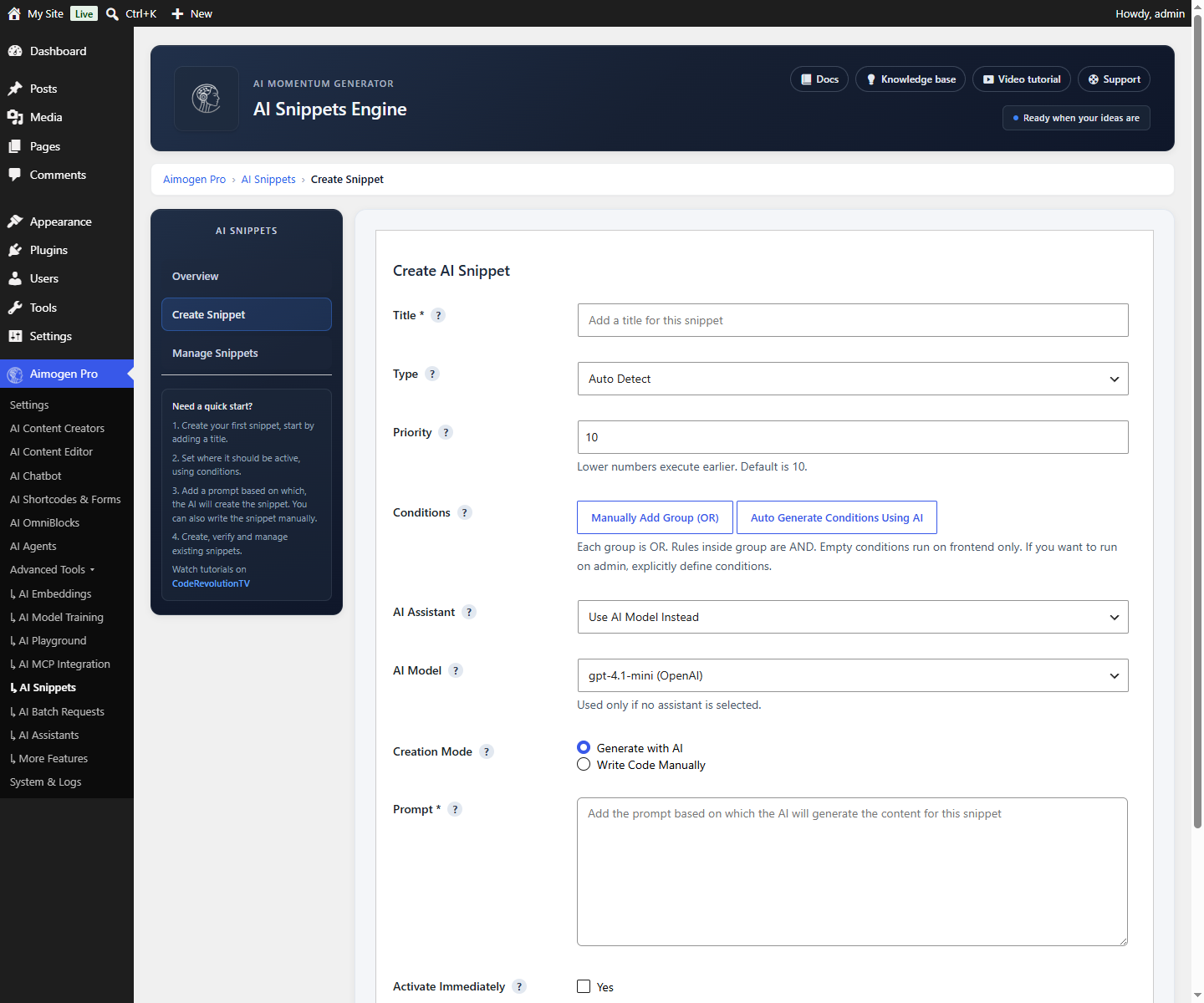
The AI Snippets Engine lets you describe a small piece of functionality in words and have the AI write, validate and store the code — with conditions deciding where it runs and several layers of protection against it breaking your site.
Added in 2.7.1. Advanced Tools › AI Snippets
Snippet types#
| Type | How it runs |
|---|---|
| PHP | Executed on template_redirect, front end only, inside a sandboxed closure with runtime fatal-error detection |
| JavaScript | Injected inline in the footer via wp_add_inline_script() |
| CSS | Injected inline via wp_add_inline_style() |
| HTML | Static markup, sanitised on output |
AI mode and manual mode#
AI mode. You describe what you want; the selected model or assistant writes it. Output is normalised, validated and stored inactive by default — you review before enabling.
Manual mode. You paste code directly. The same validation and safety checks apply.
Conditions#
Conditions decide where a snippet runs. Rules are grouped: groups combine with OR, rules within a group combine with AND.
Available subjects:
| Subject | Values |
|---|---|
| Site Area | Global, Frontend, Admin |
| Current Query | Home, Front Page, Single, Page, Archive, Search, 404, Post Type Archive |
| Visitor Language | Locale |
| Current Theme | Active theme |
| Active Plugin | A plugin being active |
| Debug Enabled | WP_DEBUG state |
| Post, Page, Post Type, Tag, Category, Author, Post Status | Specific content targeting |
| Post Parent | Hierarchical targeting |
| Post Published Date, Post Modified Date | Date comparisons |
Conditions can also be generated by AI from a description, using the condition generator on the snippet screen.
The safety model#
This is the part worth reading before you use the feature.
| Protection | What it does |
|---|---|
| Front-end restriction | Snippets without conditions never run in wp-admin |
| Token-based PHP validation | The code is parsed and unsafe function calls are blocked before storage |
$wpdb blocked | Direct database access is not permitted |
| Dangerous functions blocked | eval, exec, system and similar are rejected |
| Strict activation check | PHP snippets are validated again before being enabled |
| Runtime fatal-error detection | A shutdown handler catches fatal errors |
| Automatic deactivation | A snippet that causes a fatal error is deactivated automatically |
| Error storage | The error message is stored against the snippet |
| Logging | The issue is logged when logging is enabled |
| HTML sanitisation | HTML output is sanitised |
The automatic-deactivation behaviour is what makes this usable: a snippet that would white-screen your site takes itself out of service and records why.
The kill switch#
If something does go wrong and you cannot reach wp-admin:
// wp-config.php
define( 'AIMOGEN_DISABLE_SNIPPETS', true );
This prevents PHP execution and front-end injection without deleting anything. Remove the constant to re-enable.
There is also an official emergency plugin,
aimogen-emergency-disable-snippets,
which you can drop in over FTP if editing wp-config.php is not convenient.
Caching#
Active snippets are cached per blog ID for 60 seconds in the WordPress object cache, in the aimogen
cache group. The cache is flushed automatically when snippets are created, updated, deleted or toggled.
Storage#
Snippets live in the {prefix}aimogen_snippets table:
| Column | Holds |
|---|---|
id, title, type | Identity |
code | The snippet body |
conditions | JSON condition rules |
ai_model, assistant_id | What generated it |
priority | Execution order |
active | Enabled state |
has_error, last_error | Failure state |
created_at | Timestamp |
See Data model.
Honest guidance#
This does not make you a developer. AI-generated PHP can be subtly wrong in ways that pass validation: inefficient queries, missing capability checks, incorrect escaping. The validator blocks dangerous functions; it does not review logic.
Read the code before activating it. Every time. The AI-mode default of storing inactive exists for this reason.
Test on staging first, for anything non-trivial.
Prefer a proper plugin for real functionality. Snippets suit small, self-contained tweaks — conditionally hiding an element, adding a body class, injecting a tracking tag. Anything larger belongs in version-controlled code.
Access is administrative. Rendering the snippets screen requires manage_options. Anyone who reaches
it can execute PHP on your site.
Common problems#
A snippet was rejected on save. The validator blocked something. The error explains what.
A snippet deactivated itself. It caused a fatal error. last_error holds the message.
A snippet does not run. It is inactive, the conditions do not match, or it has no conditions and you expected it in wp-admin.
Changes do not take effect. The 60-second cache. Toggling the snippet flushes it.
The site is broken and wp-admin is unreachable. Use the kill switch above.
Related#
Still stuck? Open a support ticket and include the diagnostics from Aimogen Pro › System & Logs › System Info.