Custom OpenAI-compatible APIs
Pointing Aimogen Pro at any OpenAI-compatible endpoint, adding models manually, and what compatibility actually requires.
Aimogen Pro can send its OpenAI-format requests to any endpoint that speaks the same wire protocol. This covers self-hosted runtimes such as vLLM, LM Studio, LocalAI, text-generation-webui, corporate gateways, and providers that offer an OpenAI-compatible shim.
Configure#
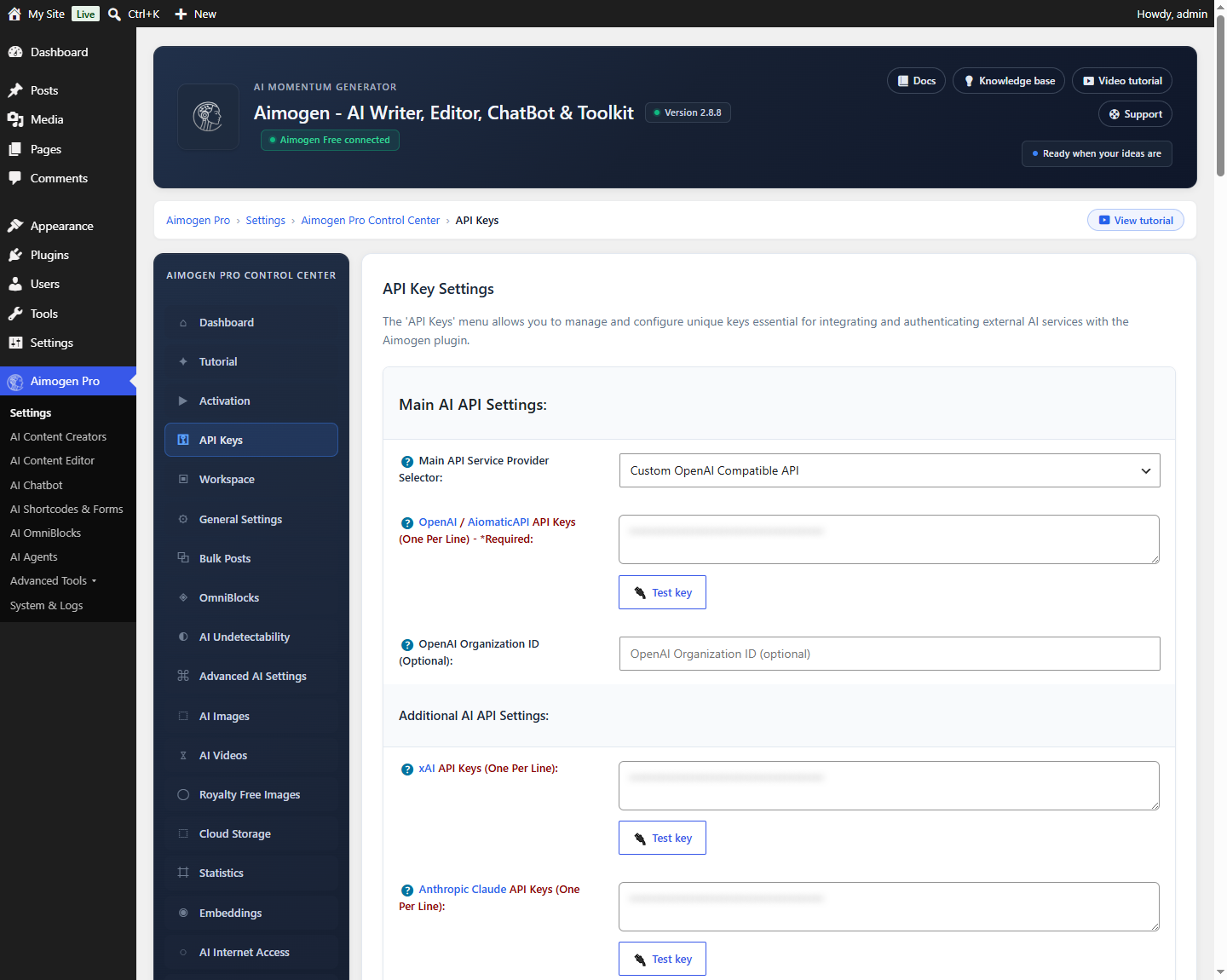
Aimogen Pro › Settings › API Keys
| Setting | Value |
|---|---|
| Main API Service Provider Selector | custom |
| Custom OpenAI Compatible API Base URL | The base URL, for example https://llm.internal.example.com |
| OpenAI / AiomaticAPI API Keys | The bearer token the endpoint expects. If it needs none, enter any placeholder |
| Additional AI Model List (One Per Line) | The models your endpoint serves |
The base URL should be the root the API is served from. The plugin appends the standard OpenAI paths, so
a base of https://llm.internal.example.com produces
https://llm.internal.example.com/v1/chat/completions.
Adding models manually#
The Additional AI Model List (One Per Line) field exists because the plugin cannot know what a custom endpoint serves. Each line becomes a selectable model:
my-org/llama-3.3-70b
my-org/qwen2.5-32b
mixtral-8x7b
The list is stored in the aiomatic_custom_models option and merged into every model selector.
What "compatible" has to mean#
At minimum the endpoint must implement:
POST {base}/v1/chat/completionsaccepting model, messages, max_tokens, temperature, top_p and returning the standard
choices[].message.content shape.
For the full plugin feature set it should also support:
| Path | Needed for |
|---|---|
POST /v1/embeddings | Embeddings and RAG |
POST /v1/images/generations | Image generation through this slot |
Streaming (stream: true, SSE) | Chatbot streaming responses |
tools / tool_calls | Chatbot Extensions and agents |
Endpoints that implement only chat completions still work for content generation; features whose prerequisites are missing will fail with errors from your endpoint rather than from the plugin.
Typical setups#
vLLM
python -m vllm.entrypoints.openai.api_server \
  --model meta-llama/Llama-3.3-70B-Instruct \
  --port 8000
Base URL http://your-server:8000, model meta-llama/Llama-3.3-70B-Instruct.
LM Studio — start the local server, base URL http://127.0.0.1:1234, and add the model identifier LM
Studio shows.
A corporate gateway — base URL as supplied by your platform team, and the models they expose.
Reliability behaviour#
Models routed through the custom slot are classified as provider custom. They participate in
Reliability Mode like any other provider: they can be cooled down after
repeated failures and can be failed over to and from.
Security#
- Use HTTPS. The bearer token and every prompt travel over this connection.
- If the endpoint is on a private network, keep it there and restrict it to the WordPress server.
- Requests carry the same content as any other provider request — see Data, GDPR and retention.
Common problems#
404 on every request
Base URL includes a path it should not, or the endpoint does not serve /v1/chat/completions. Test with
curl.
A model is not in the dropdown Add it to Additional AI Model List.
Works in curl, fails from WordPress Outbound restrictions, a self-signed certificate, or a firewall between the servers. Check System & Logs › Activity Logs for the transport error.
Streaming does not work The endpoint does not implement SSE streaming. Disable streaming for the chatbot.
Related#
Still stuck? Open a support ticket and include the diagnostics from Aimogen Pro › System & Logs › System Info.