Editing existing content in bulk
Applying an Aimogen Pro editor template across a filtered selection of existing posts, safely, with previewing and batching.
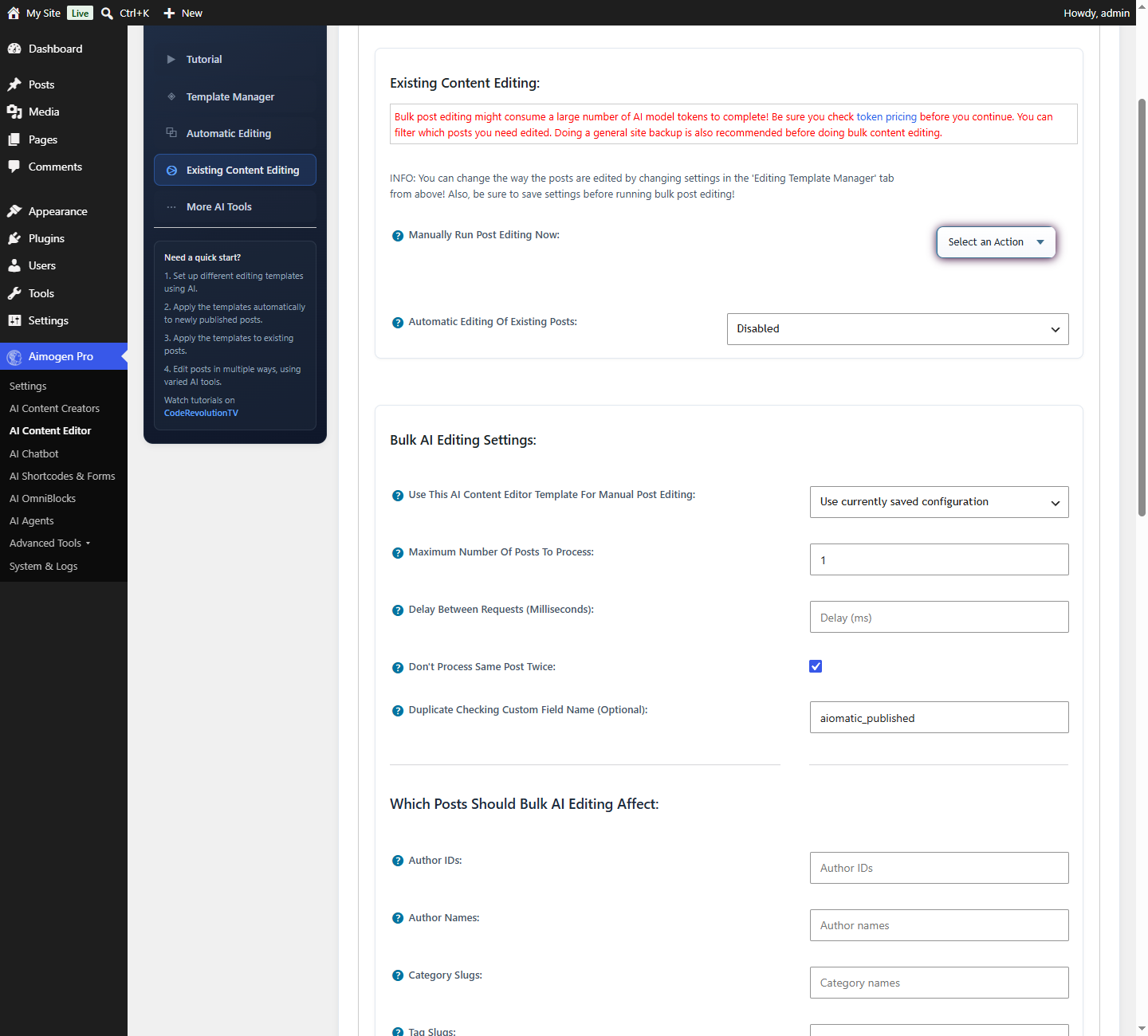
AI Content Editor › Existing Content Editing applies a template to content you select, on demand.
This is the tool for one-off projects: translating an archive, adding featured images to old posts, refreshing thin content, generating missing SEO fields.
This tutorial was recorded before Aiomatic was renamed to Aimogen Pro. Some labels or interface elements may differ slightly from the current version.
Before you start#
Then reduce the risk further:
- Set
Publish as New Post After Editingin the template for the first run. - Restrict the selection to two or three posts.
- Read the results properly.
- Only then widen the selection and switch to in-place editing.
Selecting posts#
The same filter set as automatic editing: post types, categories, tags, authors, custom fields, featured image status and SEO description status.
Additional bulk controls:
| Setting | What it does |
|---|---|
Maximum Number Of Posts To Process | Batch size for this run |
Don't Process Same Post Twice | Skips posts already edited by this template |
Don't Process Empty Taxonomies | For taxonomy runs |
Running#
Run Post Editing starts the batch. The screen reports progress as posts are processed.
Two things to know:
- It runs in the browser request. Keep the tab open. Closing it can stop the batch mid-way.
- Batch size matters. On shared hosting, 10–25 posts per run is realistic. Very large batches hit PHP
max_execution_time.
The screen reminds you to save settings before running — configuration changes are not applied to a run that has already started.
Common projects#
Add featured images to old posts#
- Template: featured image generation only, everything else off.
- Filter:
Featured Image Status= posts without one. - Batch of 20, repeat.
Generate missing SEO descriptions#
- Template: SEO meta description only.
- Filter:
SEO Meta Description Status= missing. - Use a cheap model — descriptions are short.
Translate an archive#
- Template: content and title editing with a translation prompt.
- Filter: the source category.
Publish as New Post After Editingon, and set the target language on the new posts.
See More AI tools for the dedicated translation features, which may suit better.
Refresh thin content#
- Template: content editing with a prompt that expands and adds structure.
- Filter: a custom field you set on the posts you audited as thin.
- Small batches, and read every result.
Cost#
Bulk editing an archive is the most expensive single thing you can do with this plugin. One thousand posts at a few thousand tokens each, across several elements, is a large bill.
Before a large run:
- Run 10 posts and read the cost in System & Logs › Usage Logs
- Multiply by your real post count
- Decide whether the model choice is right at that scale
See Controlling cost.
Per-post editing#
For a single post, the post editor sidebar offers the same actions without going through the bulk screen. The Content Wizard provides inline editing inside Gutenberg and the Classic Editor.
Common problems#
The batch stops part-way PHP execution limit. Reduce the batch size.
Some posts are skipped
They do not match the filters, they exceed the content length limit, or
Don't Process Same Post Twice has already marked them.
Content came back mangled
Publish Edited Content Even if the AI Removed Parts of the HTML Text was enabled, overriding the safety
check. Turn it off, and enable Protect HTML Tags in Edited Text.
Layouts broken on page-builder posts Block support was not enabled. See AI Content Editor.
Related#
Still stuck? Open a support ticket and include the diagnostics from Aimogen Pro › System & Logs › System Info.