AI Omni Pages
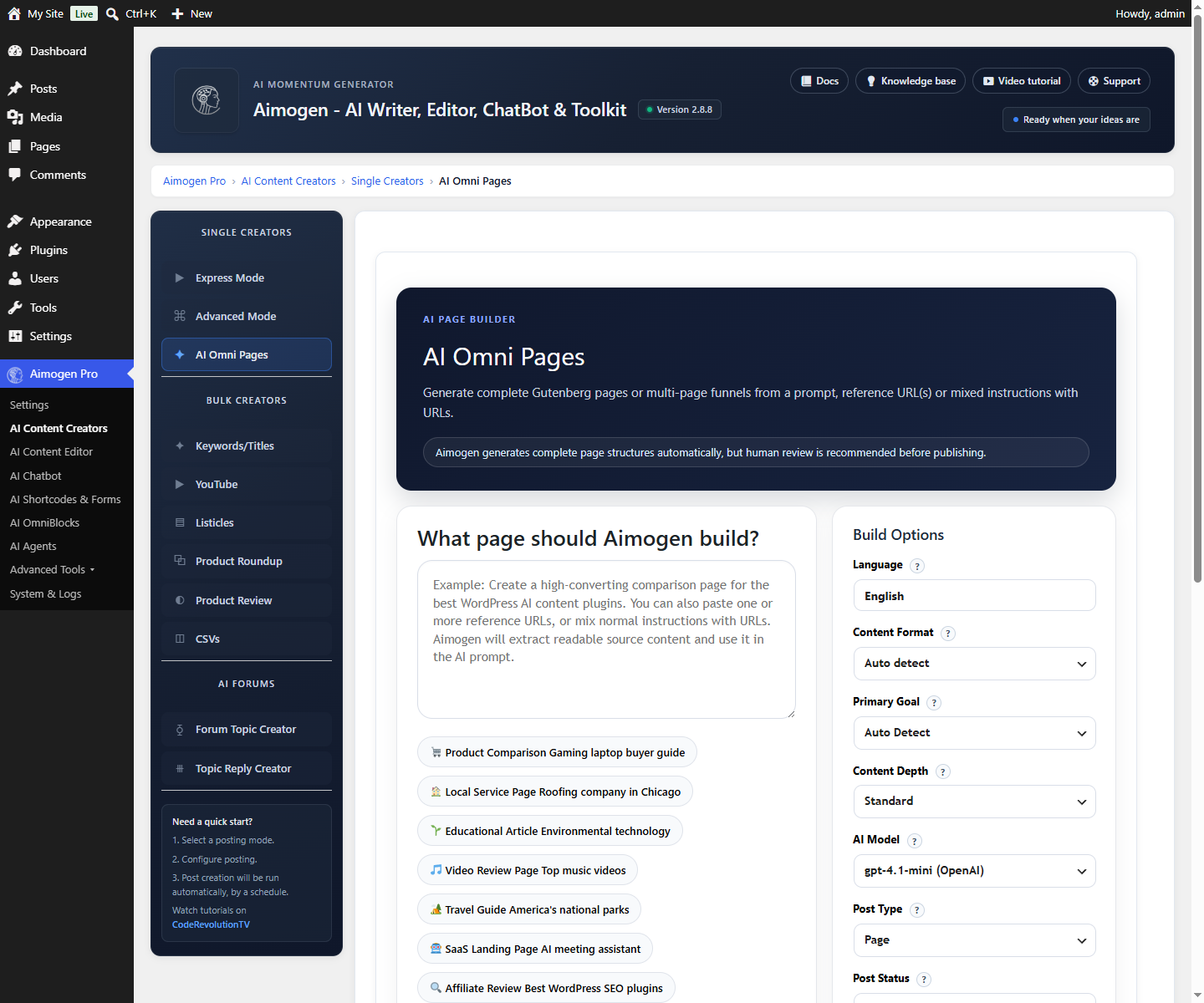
Generating complete WordPress pages and funnels with Aimogen Pro AI Omni Pages, in Gutenberg or Elementor, from a prompt and reference URLs.
AI Content Creators › Single Creators › AI Omni Pages builds a complete page — hero, features, testimonials, pricing, call to action — rather than an article. Output can be Gutenberg blocks or Elementor sections.
How it differs from the article creators#
| Article creators | AI Omni Pages | |
|---|---|---|
| Output shape | Headings and paragraphs | Page components: hero, features, testimonials, pricing, CTA |
| Editor target | Post content | Gutenberg blocks or Elementor sections |
| Typical use | Blog posts | Landing pages, service pages, funnels |
| Reference material | Keyword, product or video | A prompt, plus URLs to scrape |
Building a page#
- Describe the page. What it is for, who it addresses, what action it should drive. This prompt does the most work — be specific about the offer and the audience.
- Add reference URLs. Since 2.8.3, Omni Pages can render URLs found in the prompt and scrape their content. Point it at your existing product page, a competitor page, or a document, and the generated copy will be grounded in real detail instead of generic filler.
- Choose the editor. Gutenberg or Elementor.
- Generate.
- Refine in the editor. The output is real blocks, not a locked template.
Components#
The available components and their aliases are filterable, so a theme or plugin can register its own:
add_filter( 'aimogen_super_page_components', function ( $components ) {
    $components['comparison_table'] = array(
        'label'       => 'Comparison table',
        'description' => 'A feature comparison across three plans',
    );
    return $components;
} );
aimogen_super_page_component_aliases maps alternative names onto the same components, which helps when
the model asks for a component by a synonym.
See Filter reference.
Scraping controls#
Three filters bound what gets pulled in from reference URLs:
| Filter | Controls |
|---|---|
aiomatic_super_pages_max_scrape_urls | How many URLs are fetched |
aiomatic_super_pages_scrape_max_chars | How much text is kept per URL |
aiomatic_super_pages_allow_external_image_url | Whether images from scraped pages may be used directly |
Raising the character limit gives the model more grounding and costs more input tokens.
Elementor output#
With Elementor active, Omni Pages produces Elementor sections rather than Gutenberg blocks. The result is editable in the Elementor editor like any other page.
See Elementor.
Lead capture#
Omni Pages can include a lead capture form. Submissions arrive through the
aiomatic_super_page_lead_submit AJAX action and are stored as aiomatic_lead posts, visible under that
post type in the admin.
See Lead capture, which covers the same storage.
Settings and job storage#
Omni Pages configuration lives in the aiomatic_super_pages_settings option. Long-running generations
track progress in aiomatic_super_pages_jobs_* options, so a page build survives across requests instead
of having to finish inside one.
Practical guidance#
Be concrete in the prompt. "A landing page for a WordPress backup plugin aimed at agencies managing 50+ sites, emphasising bulk restore and white-label reporting" produces something usable. "A landing page for my plugin" does not.
Give it real reference material. A URL to your existing documentation or product page changes the output more than any amount of prompt tuning.
Expect to edit. Omni Pages produces a strong first draft with real structure. Pricing, claims and testimonials must be replaced with true ones before publishing.
Related#
- Elementor
- Gutenberg and Classic Editor
- OmniBlocks — for repeatable page generation on a schedule
Still stuck? Open a support ticket and include the diagnostics from Aimogen Pro › System & Logs › System Info.