Chatbot personas
Creating multiple chatbot identities in Aimogen Pro, letting visitors switch between them, and how personas interact with global settings.
A persona is a saved chatbot identity: its own name, description, context, avatar, model and behaviour. One site can offer several, and visitors can switch between them.
This tutorial was recorded before Aiomatic was renamed to Aimogen Pro. Some labels or interface elements may differ slightly from the current version.
Creating a persona#
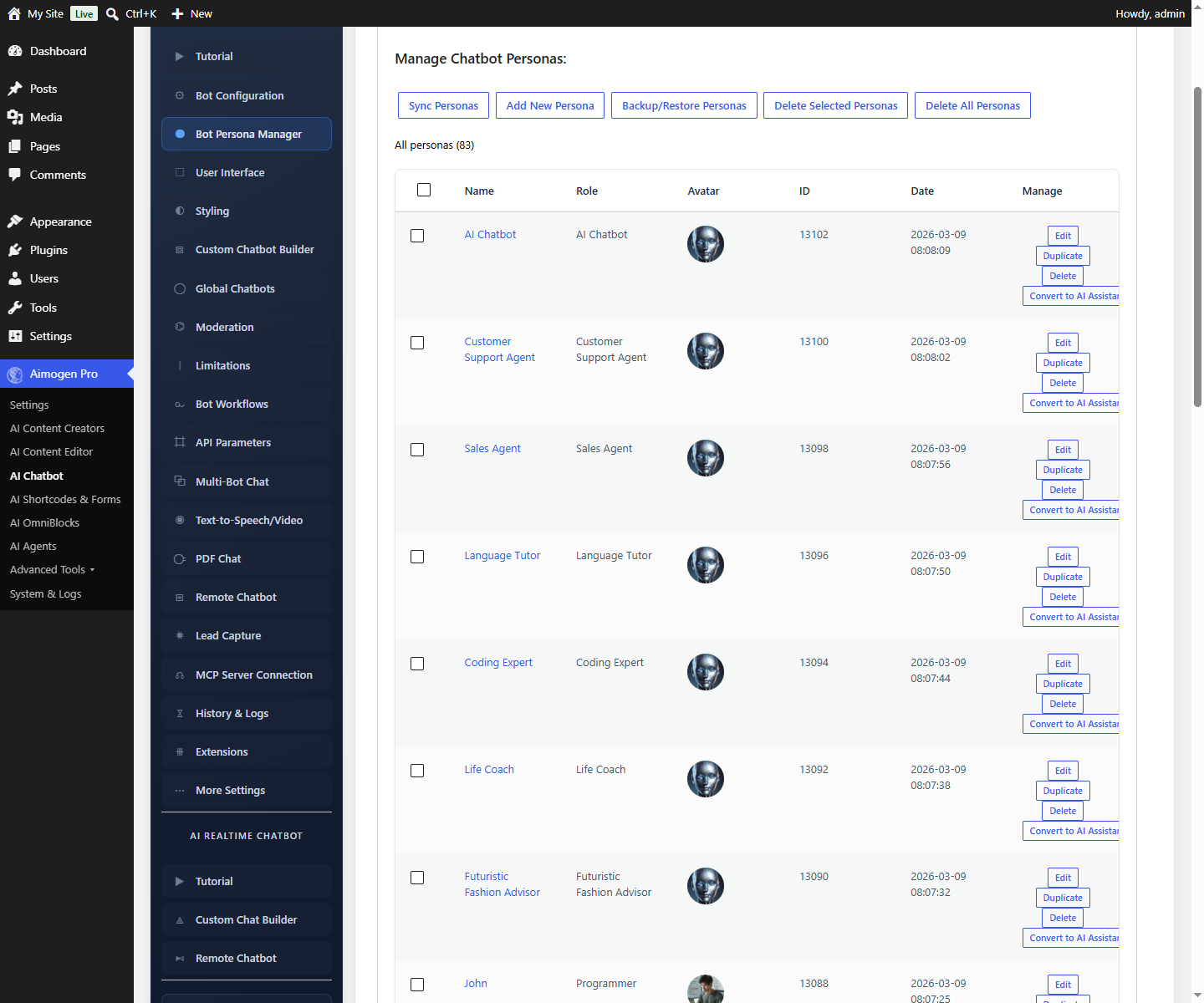
AI Chatbot › Bot Persona Manager
Each persona carries the same fields as the global bot: name, description, context, initial messages, avatar, model, and its own extension settings.
Personas are stored as aiomatic_personas posts. A set of examples is imported on first activation from
the plugin defaults/ folder — useful starting points.
Using a persona#
Fix one persona to a placement:
[aimogen-chat-form ai_persona="sales"]Let the visitor choose with the persona selector, which renders a picker plus the chat:
[aimogen-persona-selector ai_personas="sales,support,technical"]There is also an Aimogen Chatbot Persona Selector Gutenberg block.
Settings precedence#
- Global chatbot settings
- Persona settings, overriding the global ones
- Shortcode attributes, overriding both
So you configure appearance once globally, and personas only need to differ in identity and behaviour.
Assistants disable personas#
Bot Assistant Name on the global configuration selects an
AI Assistant instead of a model. The setting label says it directly: using an
assistant disables chatbot personas, because the assistant carries its own instructions and model.
Choose one approach:
| Personas | Assistants | |
|---|---|---|
| Identity lives in | Aimogen Pro | The OpenAI Assistants API |
| Provider | Any | OpenAI only |
| Visitor can switch | Yes | No |
| File search over uploaded files | Through embeddings | Built in |
For most sites, personas are the better fit.
Designing personas#
Personas work when they differ in what they know and what they do, not just in tone.
Good separation:
| Persona | Context focus | Extensions |
|---|---|---|
| Sales | Product range, pricing, comparisons | Lead capture, Amazon or product lookup |
| Support | Documentation, troubleshooting steps | Site search, database read |
| Technical | API docs, integration guides | Site search, code examples |
Weak separation: three personas with identical knowledge and slightly different greetings. Visitors will not know which to pick, and it adds maintenance for no benefit.
Persona styling#
Two colours apply specifically to persona display:
| Setting | Controls |
|---|---|
Persona Name Color | The persona name in the interface |
Persona Role Color | The persona description |
Related#
Still stuck? Open a support ticket and include the diagnostics from Aimogen Pro › System & Logs › System Info.