Persistent chat, history and logs
Storing Aimogen Pro chatbot conversations, letting visitors resume them, viewing them in the admin, and the retention settings that apply.
By default a conversation lives only in the browser session. Persistent chat stores it, so visitors can return to it and you can read it.
AI Chatbot › History & Logs
This tutorial was recorded before Aiomatic was renamed to Aimogen Pro. Some labels or interface elements may differ slightly from the current version.
This tutorial was recorded before Aiomatic was renamed to Aimogen Pro. Some labels or interface elements may differ slightly from the current version.
Enabling#
| Setting | What it does |
|---|---|
Remember Chat Conversations (Persistent Chat) | Master switch |
Enable Persistent Chat Also For Not Logged In Users | Extends it to guests |
Chat Logs Expiration Time For Not Logged In Users (Seconds) | How long guest conversations are kept |
Maximum Stored Conversations Count For Logged In Users | Per-user cap |
Maximum Stored Conversations Count For Not Logged In Users | Per-guest cap |
Per placement:
[aimogen-chat-form persistent="1" persistent_guests="1"]Vector-backed persistence#
The settings help text describes an additional mode: with a vector database configured and
Chatbot Shortcodes enabled under Settings › Embeddings › Enable Embeddings For, conversations are
also stored as embeddings.
That gives the bot semantic recall across a long history — it can find a relevant exchange from weeks ago rather than only reading the last few messages.
Requires an embeddings provider and a vector store. See Knowledge base and RAG.
Identifying visitors#
| Visitor | How they are identified |
|---|---|
| Logged in | WordPress user ID. Reliable across devices |
| Guest | A browser-side identifier |
Guest persistence is best-effort. Clearing cookies, switching browser or private browsing loses the history. Do not build anything important on guest continuity.
Conversation data is stored in aiomatic_user_data posts.
Reading conversations#
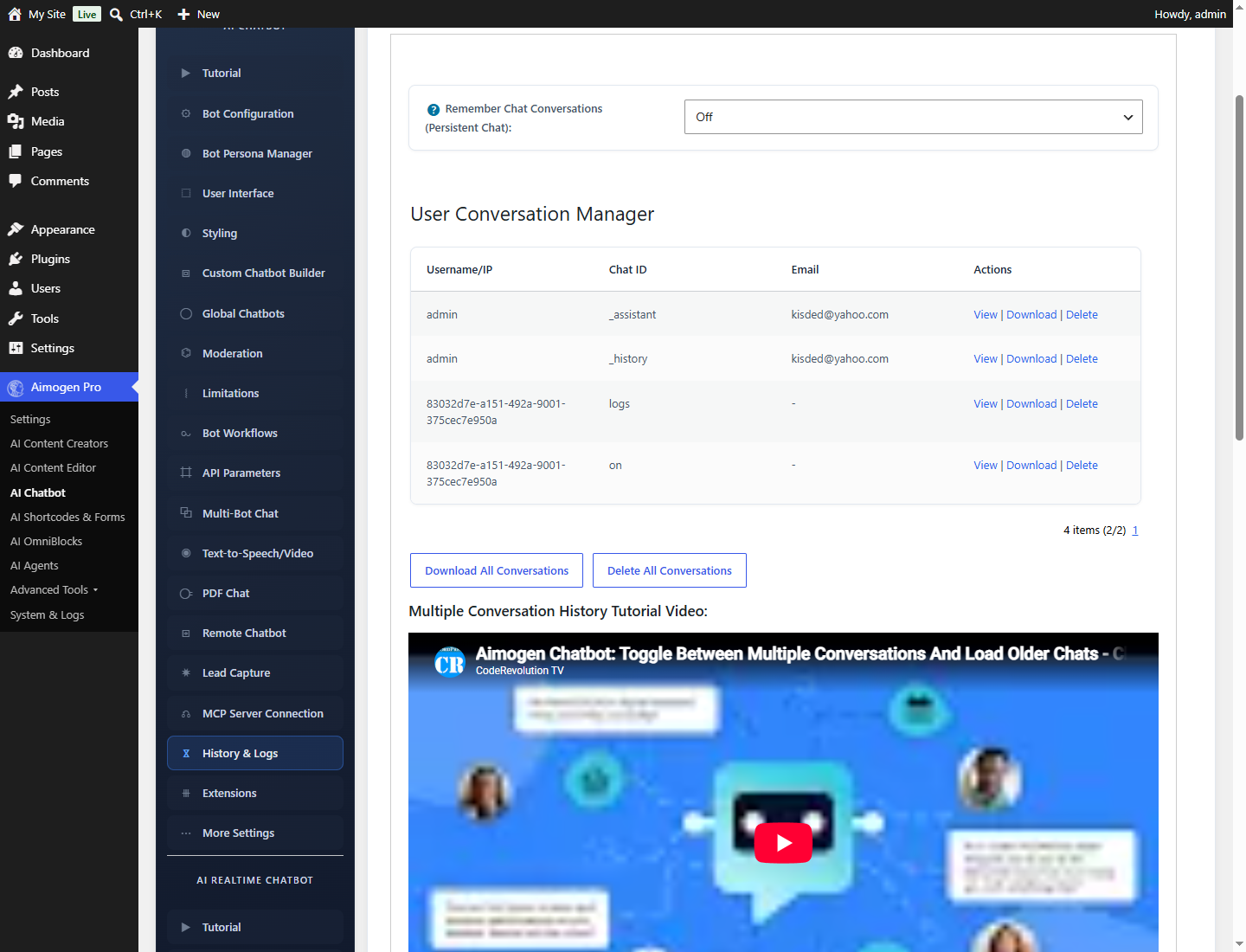
AI Chatbot › History & Logs lists stored conversations for browsing and inspection.
This is genuinely useful, and not only for support:
- What people actually ask is usually not what you expected, and is the best guide to what your knowledge base is missing.
- Where the bot fails shows up as repeated "I do not have that information".
- Where visitors give up shows where the flow is wrong.
Chatbot usage reporting#
System & Logs › Chatbot Usage, added in 2.8.8, breaks usage down per chatbot.
For request-level detail, System & Logs › Usage Logs records every API call with model, tokens, price and environment, and the chatbot rows are identifiable by their environment value.
Retention and privacy#
What to do:
Set an expiry. Chat Logs Expiration Time For Not Logged In Users (Seconds) and the per-user
conversation caps bound how much you keep.
Say so. Your privacy policy and Chat Compliance Text should state that conversations are stored and
for how long.
Be able to delete. A data subject can ask for erasure. Conversations are aiomatic_user_data posts,
so they can be found and deleted.
Think about detailed usage tracking separately. Enable Detailed Usage Tracking under
Settings › Statistics stores prompt and response text in aiomatic_logmeta — a second copy of the
same content, in a different place, with its own retention.
Tell visitors not to send sensitive data. A line in Chat Compliance Text costs nothing:
"Please do not enter payment details, passwords or sensitive personal information."
Clearing conversations#
| Method | Scope |
|---|---|
Show Chat Clearing Button | Lets the visitor clear their own |
The aiomatic_remove_chat_logs AJAX action | Programmatic clearing |
| System & Logs › Maintenance | Bulk log clearing |
Auto Clear Logs (Settings › General Settings) | Scheduled clearing through the aiomaticactionclear cron event |
Downloading a conversation#
Show Chat Log File Download Button lets visitors download their conversation, in the format set by
Download Chat Conversation To File As.
Useful for support handoff: the visitor downloads the transcript and attaches it to a ticket.
Common problems#
History is not kept. Persistence is off, or off for guests specifically.
Guests lose their history. Expected — see identification above.
Conversations do not appear in the admin. Persistence was enabled after they happened. Only stored conversations are listed.
Chatbot Usage is empty. The bots predate 2.8.8. See the note above.
The database is growing quickly. Persistence plus detailed usage tracking stores a lot. Set expiry and caps, and see Maintenance and cleanup.
Related#
Still stuck? Open a support ticket and include the diagnostics from Aimogen Pro › System & Logs › System Info.