Check Plugin Documentation
Get started quickly with our comprehensive guides
About this plugin
PerfBoost Scheduled Plugin Manager WordPress Plugin is a breaking edge automatic plugin manager. It will boost the performance of your website, by deactivating other idle plugins, and activating them just when they are needed.
Our intuitive, easy-to-use system allows you to automatically delete posts older than a date you define.
You can define rules to activate/deactivate plugins based on:
- Automatically, based on a daily schedule
- Automatically, each time you publish a new post. You can also set a timeout for how long should the plugin stay activated
WordPress installation
Youtube video tutorial:
I also provided a Quick Install Guide to feature an easy plugin installation for everyone.
To make this plugin work, first, you’ll need to install the plugin. The easiest method is to take the .zip file you’ve downloaded and upload it via Plugins > Add New > Upload Plugin in the WordPress Dashboard. Once the plugin is installed, be sure to Activate it.
Now that you’ve installed and activated the plugin, you’ll see a new menu item created inside WordPress called ‘PerfBoost’. First thing first, let’s head over to the PerfBoost plugin menu and take a look at what options are available.
Plugin Settings
Refreshingly, PerfBoost Scheduled Plugin Manager has a super-simple settings screen. Let’s look at first at the settings panel:
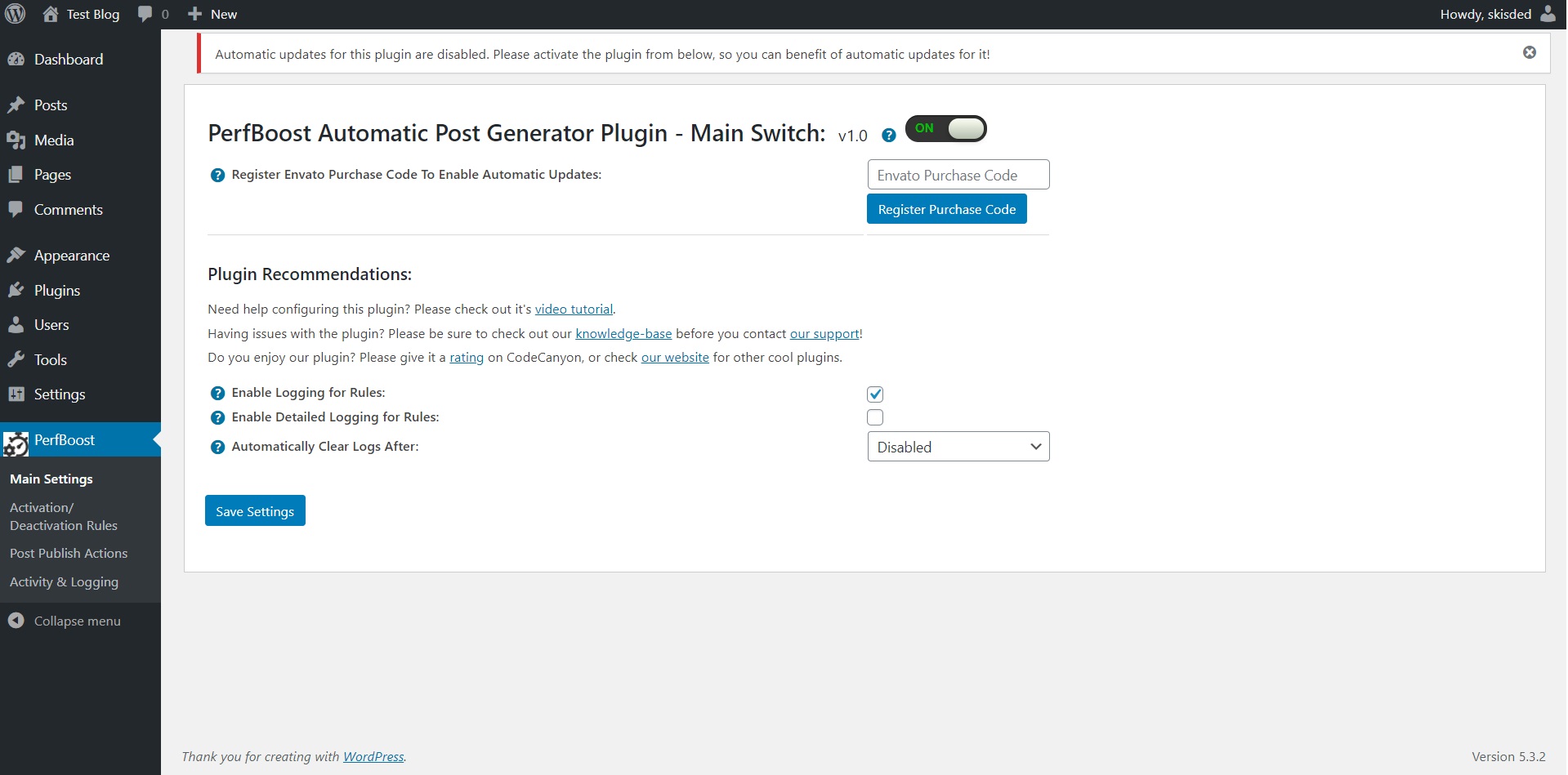
Here you can find the steps needed in configuring your plugin even if you have no HTML knowledge at all. You can find options for:
HINT! Don’t forget to click the Save button every time you modified your settings, otherwise the modifications will be lost!
Main Settings:
- PerfBoost Scheduled Plugin Manager Main Switch: Enable or disable the PerfBoost Scheduled Plugin Manager. This acts like a main switch.
- Enable Logging for Rules: Do you want to enable logging for rules?
- Enable Detailed Logging for Rules Do you want to enable detailed logging for rules? Note that this will dramatically increase the size of the log this plugin generates.
Activation/ Deactivation Rules:
- Plugins to Manage: Select the plugins you would like to activate or deactivate.
- Schedule: Select the daily interval when you want this rule to run.
- Change Status: Select the how you wish to change the activation status of the selected plugins.
- Network Wide Action: Do you want to activate/deactivate the plugins network wide?
- Do Not Call Plugin Activation/Deactivation Hooks: Do you want to prevent calling activation/deactivation hooks for plugins?
Post Publish Actions:
- Activate Or Deactivate Plugins When Publishing New Posts: Select the how you wish to change affected plugin’s state.
- Change Status For These Plugins When Publishing New Posts: Select the list of plugins you wish to activate/deactivate when you publish new posts on your site.
- Network Wide Action: Do you want to activate/deactivate the plugins network wide?
- Do Not Call Plugin Activation/Deactivation Hooks: Do you want to prevent calling activation/deactivation hooks for plugins?
- Revert Plugin State After (seconds): Do you want to revert the status change after a number of seconds? If you activate plugins when you publish new posts, these will be deactivated after this number of seconds. To disable this feature, leave this field blank.
Activity and Loggind Screen:
- Restore Plugin Default Settings: Hit this button and the plugin settings will be restored to their default values. Warning! All settings will be lost!
- Activity Log: This is the main log of your plugin. Here will be listed every single instance of the rules you run or are automatically run by schedule jobs (if you enable logging, in the plugin configuration).
Summary
PerfBoost Scheduled Plugin Manager is a simple, yet powerful tool you can use to create a high performance website, with ease. The setup and settings of the plugin couldn’t have been easier. Now, let’s go and enjoy the results of this great plugin! Have fun using it!
Sources and Credits
This component was made by Szabi CodeRevolution, for more information and support contact us at support@coderevolution.ro
Once again, thank you so much for purchasing this item. As I said at the beginning, I’d be glad to help you if you have any questions regarding this plugin and I’ll do my best to assist.
CodeRevolution