Check Plugin Documentation
Get started quickly with our comprehensive guides
About the script
The Cookie Law Explained
The Cookie Law is a piece of privacy legislation that requires websites to get consent from visitors to store or retrieve any information on a computer, smartphone or tablet.
It was designed to protect online privacy, by making consumers aware of how information about them is collected and used online, and give them a choice to allow it or not.
It started as an EU Directive that was adopted by all EU countries in May 2011. The Directive gave individuals rights to refuse the use of cookies that reduce their online privacy. Each country then updated its own laws to comply. In the UK this meant an update to the Privacy and Electronic Communications Regulations.
Almost all websites use cookies – little data files – to store information in peoples’ web browsers. Some websites contain hundreds of them.
There are other technologies, like Flash and HTML5 Local Storage that do similar things, and these are also covered by the legislation, but as cookies are the most common technology in use, it has become known as the Cookie Law.
What it Means For Business?
If you own a website, you will need to make sure it complies with the law, and this usually means making some changes.
If you don’t comply you risk enforcement action from regulators, which in the UK means The Information Commissioners’ Office (ICO). In exceptional cases this can mean a fine.
However, non-compliance could also have other, perhaps more serious consequences than enforcement. There is plenty of evidence that consumers avoid engaging with websites where they believe their privacy is at risk, and there is a general low level of trust about web tracking by the use of cookies.
What is the future of this law?
The EU ePrivacy Directive, the organisation which gave us the cookie law, is currently undergoing a revision, but the real issue now is their new law, that will soon come to action, the EU GDPR.
It may be 2018 before it is enforced, but it is now law and has already tightened up the rules as well as increased the penalties for getting it wrong.
There may be a while to go yet, and we may see some guidance from regulators, but I think they will have other issues on their collective agendas. So it is really important to start thinking about the changes you will need to make now, especially for companies that have a lot of websites.
So here are some of the top issues for cookie consent that the GDPR raises
Cookies can be personal data
The GDPR explicitly states that online identifiers, even if they are pseudonymous, even if they do not directly identify an individual, will be personal data if there is potential for an individual to be identified or singled out. Any persistent cookie that is unique to the device by virtue of its attributes or stored values fits the criteria for personal data. That means most cookies, and certainly the most useful ones for site owners. This is the basis for cookie consent being about GDPR compliance now, as well as the existing cookie laws.
Implied consent is no longer going to be compliant
There are several reasons for this. Mainly it’s because the GDPR requires the user to make an ‘affirmative action’ to signal their consent. Simply visiting a site for the first time would not qualify. So loading up your landing pages with cookies in the hope people won’t opt-out, won’t wash.
Advice to adjust browser settings won’t be enough
The GDPR says it must be as easy to withdraw consent as give it. Telling people to block cookies if they don’t consent would not meet this criterion. It both difficult, ineffective against non-cookie based tracking, and doesn’t provide enough granularity of choice.
‘By using this site, you accept cookies’ statements will not be compliant
If there is no genuine and free choice, then there is no valid consent. Also people who don’t consent also cannot suffer detriment, which means you have to provide some service to those who don’t accept those terms. Which also means’
Sites will need an always available opt-out
Even after getting valid consent, there must be a route for people to change their mind. Again this comes down to the requirement that withdrawing consent must be as easy as giving it.
Soft opt-in is likely the best consent model
This means giving an opportunity to act before cookies are set on a first visit to a site. If there is then a fair notice, continuing to browse can in most circumstances be valid consent via affirmative action. Although see above about a persistent opt-out route. This however may not be sufficient for sites that contain health related content, or other sites where the browsing history may reveal sensitive personal data about the visitor. Then it may require explicit consent, a higher bar to get over.
You need a response to Do Not Track browser requests
A DNT:1 signal is a valid browser setting communicating a visitor preference. It could also be interpreted by regulators as an exercise of the right to object to profiling.
The script will resolve all the above stated problems, and yout website will fully comply to the current and also the future cookie regulations. These features include:
- Most feature rich ‘Cookie Consent Policy’ script on the market!
- Compatible with every current and announced cookie law (EU GDPR), wordwide.
- Fully customizable popup message, appearance (includind font, colors, background, border, buttons, links, transparency, custom images, and many others).
- You can chose from two animations styles for popup closing: slide up/down or fade out.
- Full modern browser support – Google Chrome, Firefox, IE, Edge, Opera, Safari
- Support for adding shortcodes that will block content when user did not accept cookies, or to add a button to add the option to the user to change his mind about his cookie option, or a nice quot from a fortune cookie.
- Fully customizable display modes: top bar, bottom bar, right/left top popup, right/left bottom popup or popup centered on the screen. You can also customize the position and size of the notification, so the positioning possibilities are endless.
- Option to fade the notice background, until the notice is shown – to make it more visible
- Option to block cookies until the user did not accept them (this must be enabled for you to fully comply with current regulations)
- Option to automatically hide popup after a preset delay
- Option to show popup only to users from the EU countries – regulations only apply to them (and not bother the rest of the world)
- Option to disable popup for logged in users
- Option to define the cookie life-time, after which the user will be propted again with the popup policy popup
- Browser ‘Do Not Track’ detection
- Custom CSS support
- Responsive design, fully mobile compatible
- Option to block all cookies from your website, regardless of user consent
- Translations ready
- Optimized for speed – no speed impact
- Lifetime updates and support.
Script installation
Youtube video tutorial:
Fortune Cookie Consent Policy Script live demo HERE.
If you are not sure what cookies are and how they work, I provided a Guide where I explain the mechanism of cookies.
I also provided a Quick Install Guide to feature an easy script installation for everyone.
The installation of the script is very easy: all you have to do, is to upload it to your hosting and edit your HTML or PHP files, where you want the popup to appear.
Place in the <head> section of you page the following code, the modify it to your needs. The edit should be like this:
<script src="https://code.jquery.com/jquery-3.1.1.min.js"></script> //need to include jQuery for this script to work
<script> // see documentation for the meaning of every settings field!
var $useCookies = 'on';
var $custom_css = '';
var $auto_accept = 'off';
var $auto_hide = 'off';
var $auto_hide_time = '5000';
var $button_border = '3px';
var $fade_background = 'on';
var $cookie_exp ='14400';
var $animation ='fortune_no_anim';
var $outside_close = 'on';
var $outside_accept = 'on';
var $background_style = 'fortune_image';
var $max_height = '300px';
var $font_size = '14px';
var $font_type = 'Helvetica, Arial, sans-serif';
var $stick = 'on';
var $dist_top = 'auto';
var $dist_bot = '10px';
var $dist_left = 'auto';
var $dist_right = '10px';
var $rounded_corners = 'on';
var $max_width = '300px';
var $border = 'off';
var $border_width = '3px';
var $border_color = '#00ff00';
var $text_col = '#000000';
var $background = '#ffffff';
var $center_popup = 'on';
var $background_image = './graphics/elegant_white.jpg';
var $dist_padding = '10px';
var $more_link = 'https://en.wikipedia.org/wiki/Cookie_Monster';
var $font_bold = 'on';
var $font_italic = 'off';
var $font_underline = 'off';
var $message = "We use cookies to improve our site and your shopping experience. By continuing to browse our site you accept our cookie policy.";
var $buttons_on_new_line = 'on';
var $more_info = 'on';
var $buttons = 'on';
var $button_background = '#aaaaaa';
var $links_col = '#000000';
var $more_info_text = 'Find out more';
var $buttons_on_new_line_all = 'off';
var $deny_button = 'off';
var $deny_text = 'Deny';
var $close_message = 'OK';
</script>
<script type="text/javascript" src="script/fortune_cookie_popup.js"></script> //include the script location here. Don't forget to modify src="script/fortune_cookie_popup.js" to be the exact location and name of your scrip!
Script Settings
Refreshingly, Fortune Cookie Consent Policy script has a super-simple settings feature.
You can find options for:
- $useCookies: if you set this to ‘false’, you can disable cookie placement. In this case, the popup will be shown every time a visitor refreshes your website, regardless if he already accepted or not cookies
- $custom_css: custom css code that can be added here
- $auto_accept: do you want to auto accept the cookies when popup is automatically hidden (if $auto_hide is set to ‘on’)?
- $auto_hide: do you want to automatically hide the popup after a period of time?
- $auto_hide_time: time in milliseconds after the popup is automatically closed, if $auto_accept is set to ‘on’
- $button_border: the border thickness of the buttons
- $fade_background: set this to ‘on’ to fade the background of the popup
- $cookie_exp: time before cookie set by this script expires
- $animation: animation type when popup closes: ‘fortune_no_anim’ – no admin, ‘fortune_fade_anim’ – fade out, ‘fortune_slide_anim’ – slide up/slide down
- $outside_close: do you want to close the popup if the user clicks outside the popup area (works only if ‘$fade_background’ is set to ‘on’)
- $outside_accept: do you want to also accept cookies if popup is closed by clicking outside the popup (only if ‘$outside_close’ is set to ‘on’)
- $background_style: background type of the popup – values are: ‘fortune_color’ – to display a solid color background, ‘fortune_transparent’ – to display a transparent background and ‘fortune_image’ – to display an image as the popup background
- $max_height: maximum height that the popup can reach
- $font_size: font size of the popup
- $font_type: font type of the popup
- $stick: do you want to make the popup stick to it’s position when the user scrolls? set this to ‘off’ to place the popup on the page and the user can scroll and make it dissapear
- $dist_top: distance of the top margin of the popup to the top margin of the page – can be in pixels, % or any other value valid in CSS
- $dist_bot: distance of the bottom margin of the popup to the bottom margin of the page – can be in pixels, % or any other value valid in CSS
- $dist_left: distance of the left margin of the popup to the left margin of the page – can be in pixels, % or any other value valid in CSS
- $dist_right: distance of the right margin of the popup to the right margin of the page – can be in pixels, % or any other value valid in CSS
- $rounded_corners: do you want to make the popup have round corners?
- $max_width: maximum width of the popup – applicable when the user has a wide screen
- $border: do you want to show a border for the popup?
- $border_width: the width of the popup border – only active when $border is set to ‘on’
- $border_color: the color of the popup – only active when $border is set to ‘on’
- $text_col: the color of the text in the popup.
- $background: the background of the popup – only aplicable when $background_style is set to ‘fortune_color’
- $center_popup: enable this only if you want to center the popup in the middle of the screen. Note that for this to work, $dist_left must be set to 50%.
- $background_image: the URL of the image which will be set as the background of the popup – aplicable only when $background_style is set to ‘fortune_image’
- $dist_padding: the padding of the text – increase this value to increase the size of the popup without inceasing font size
- $more_link: the link where to user will be taken when he clicks on the ‘More Info’ button – only applicable when $more_info is set to ‘on’
- $font_bold: do you want to make fonts bold?.
- $font_italic: do you want to make fonts italic?
- $font_underline: do you want to make fonts underlined?
- $message: the main message of the popup
- $buttons_on_new_line: do you want to put buttons on a new line in the popup?
- $more_info: do you want to enable the ‘More Info’ button in your popup?
- $buttons: do you want to show buttons in your popup? If you set this to ‘off’, links will be shown instead of buttons
- $button_background: the background color of the buttons in your popup – only applicable when $buttons is set to ‘on’
- $links_col: the color of the links and button texts
- $more_info_text: the text show in the ‘More Info’ button – only applicable when $more_info is set to ‘on’
- $buttons_on_new_line_all: do you want to show EVERY button on a new line? Only applicable when $buttons_on_new_line is set to ‘on’
- $deny_button: do you want to enable the ‘Deny’ button?
- $deny_text: the text of the ‘Deny’ button – only applicable when $deny_button is set to ‘on’
- $close_message: the text of the ‘Accept Cookies’ button.
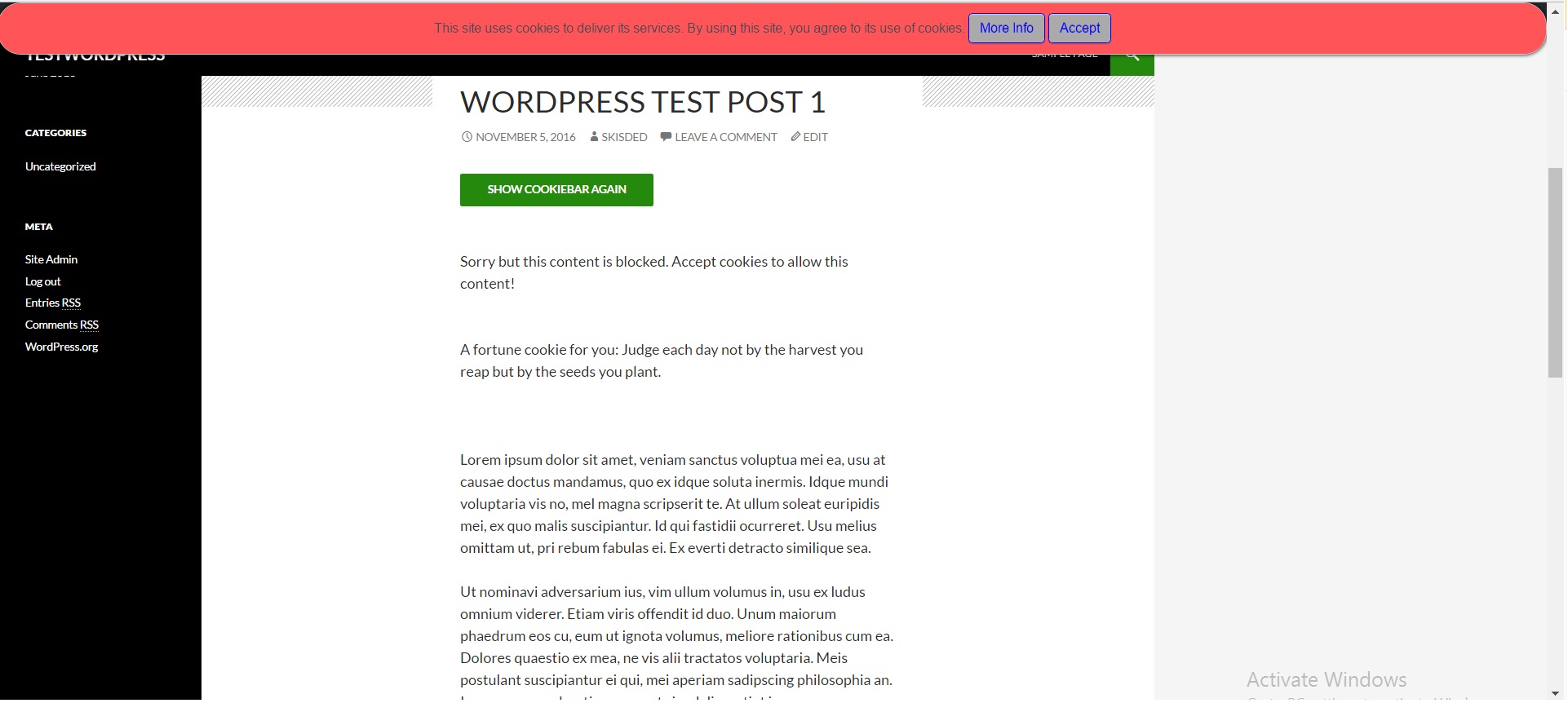
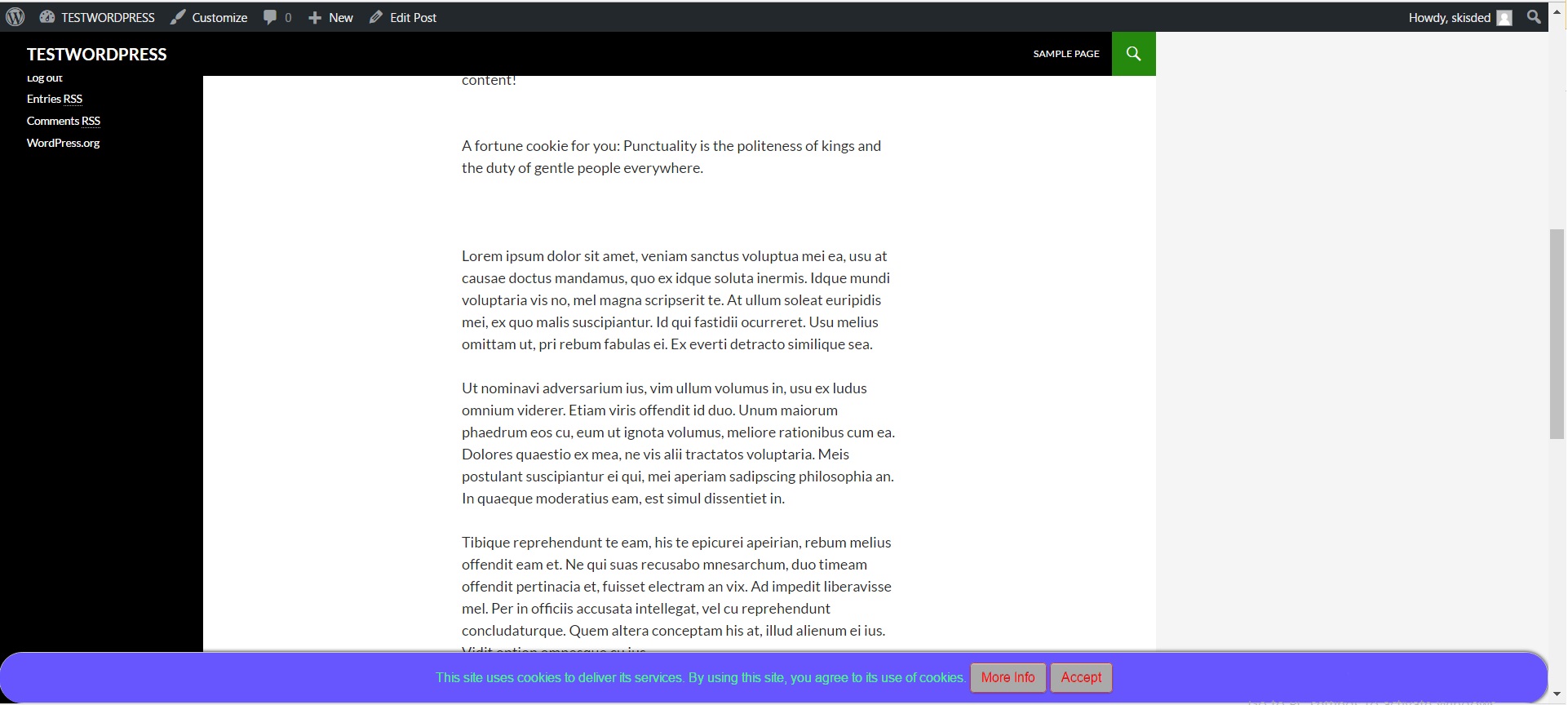
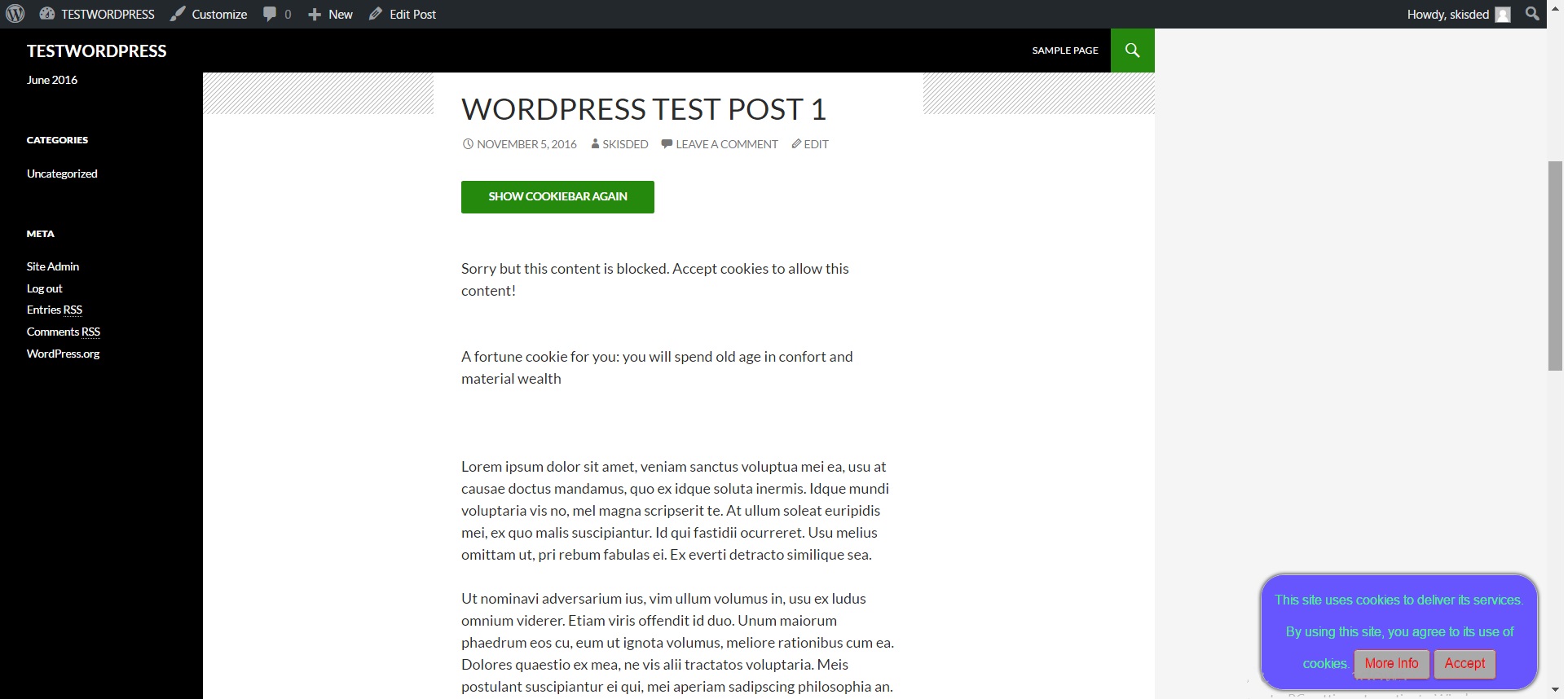
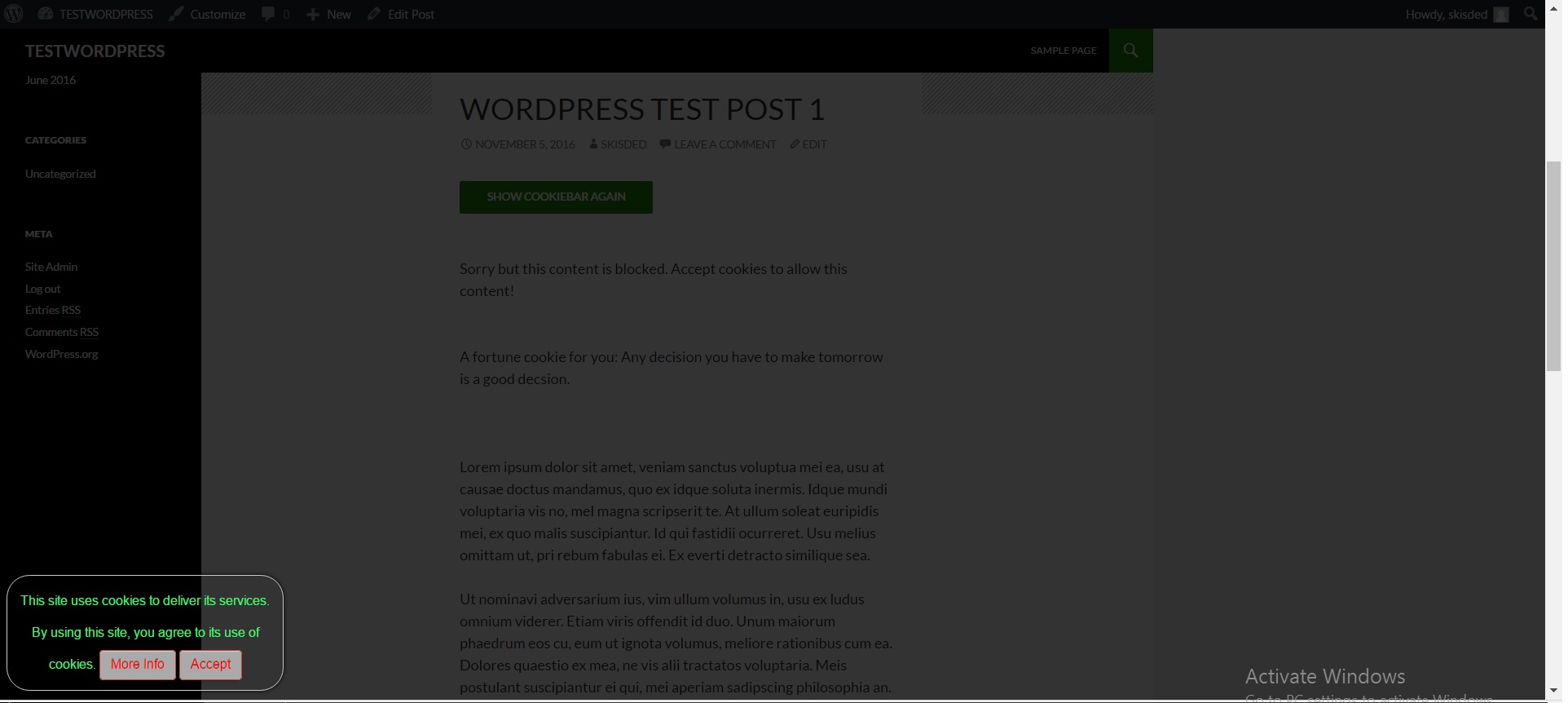
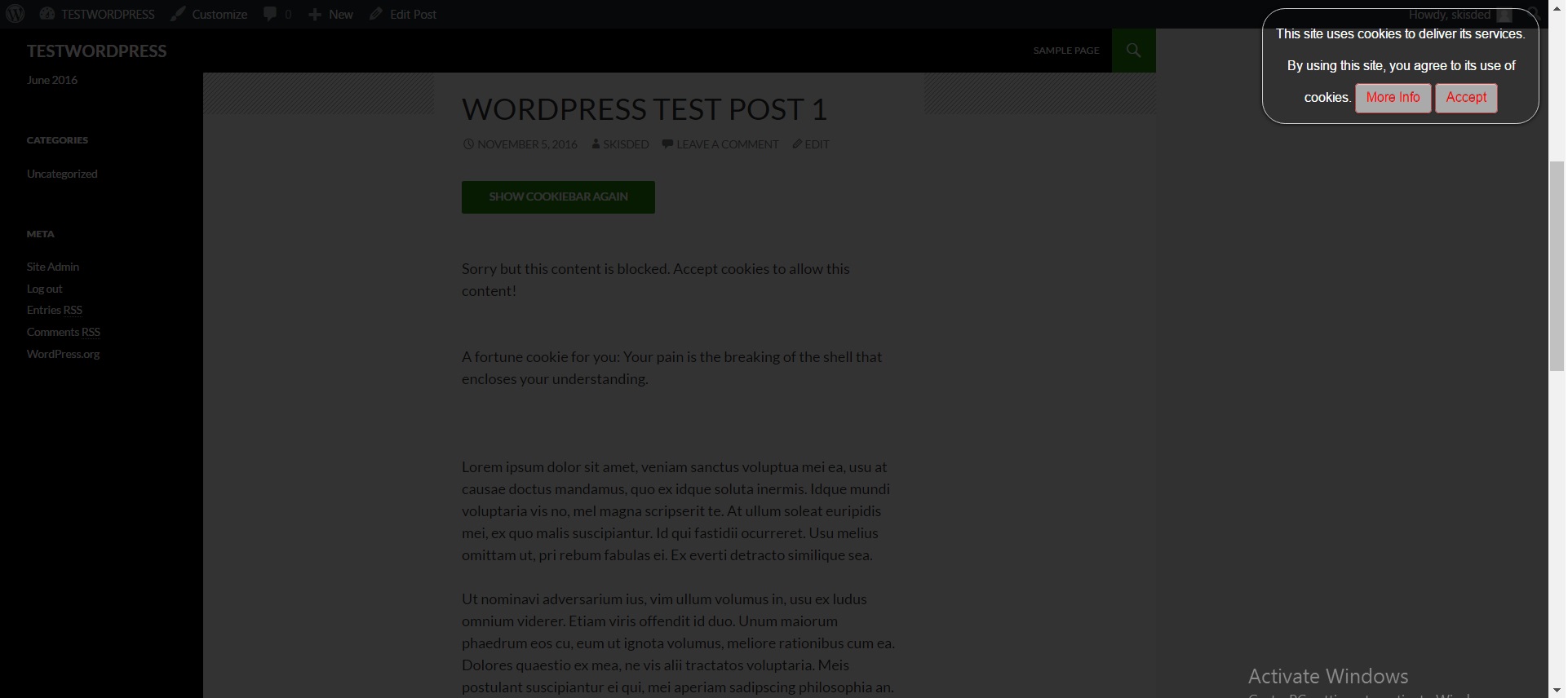
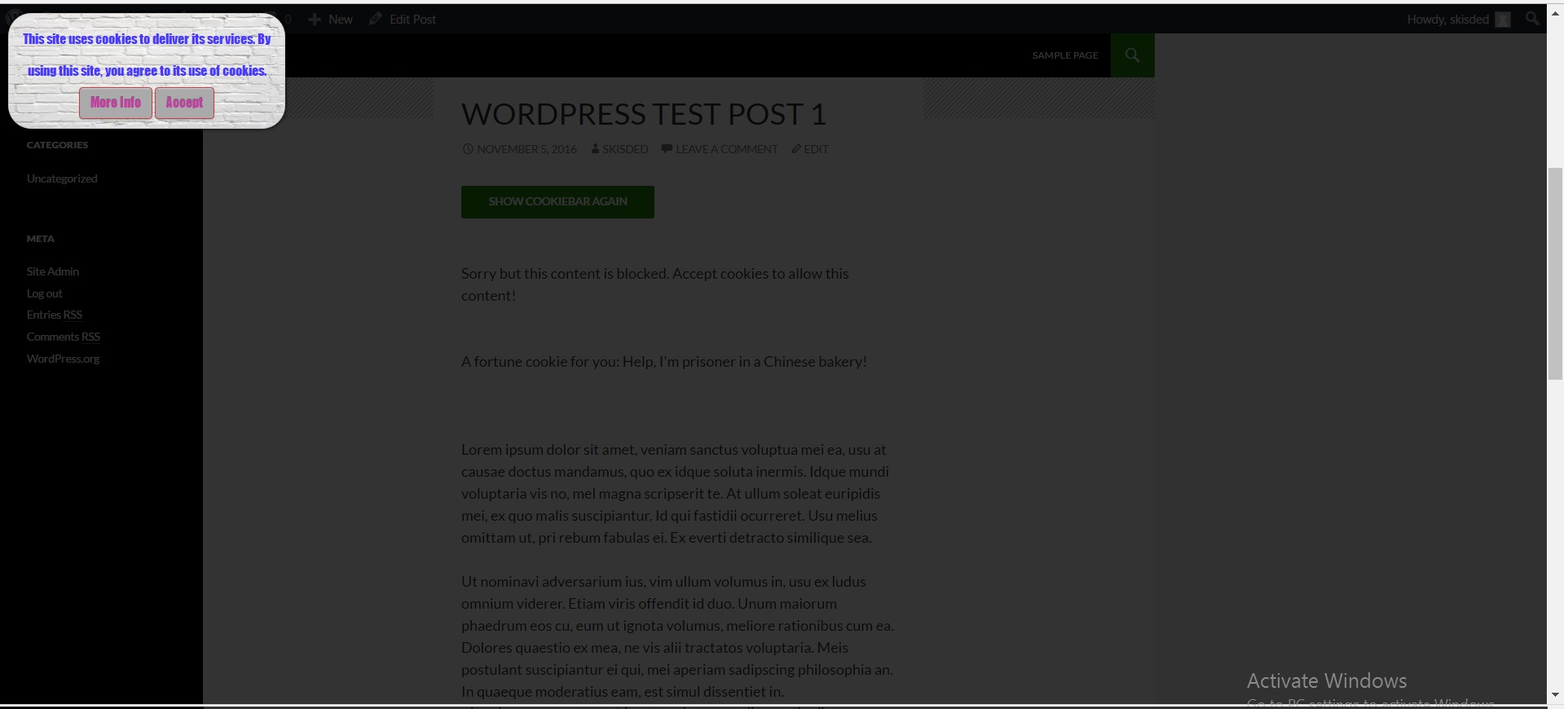
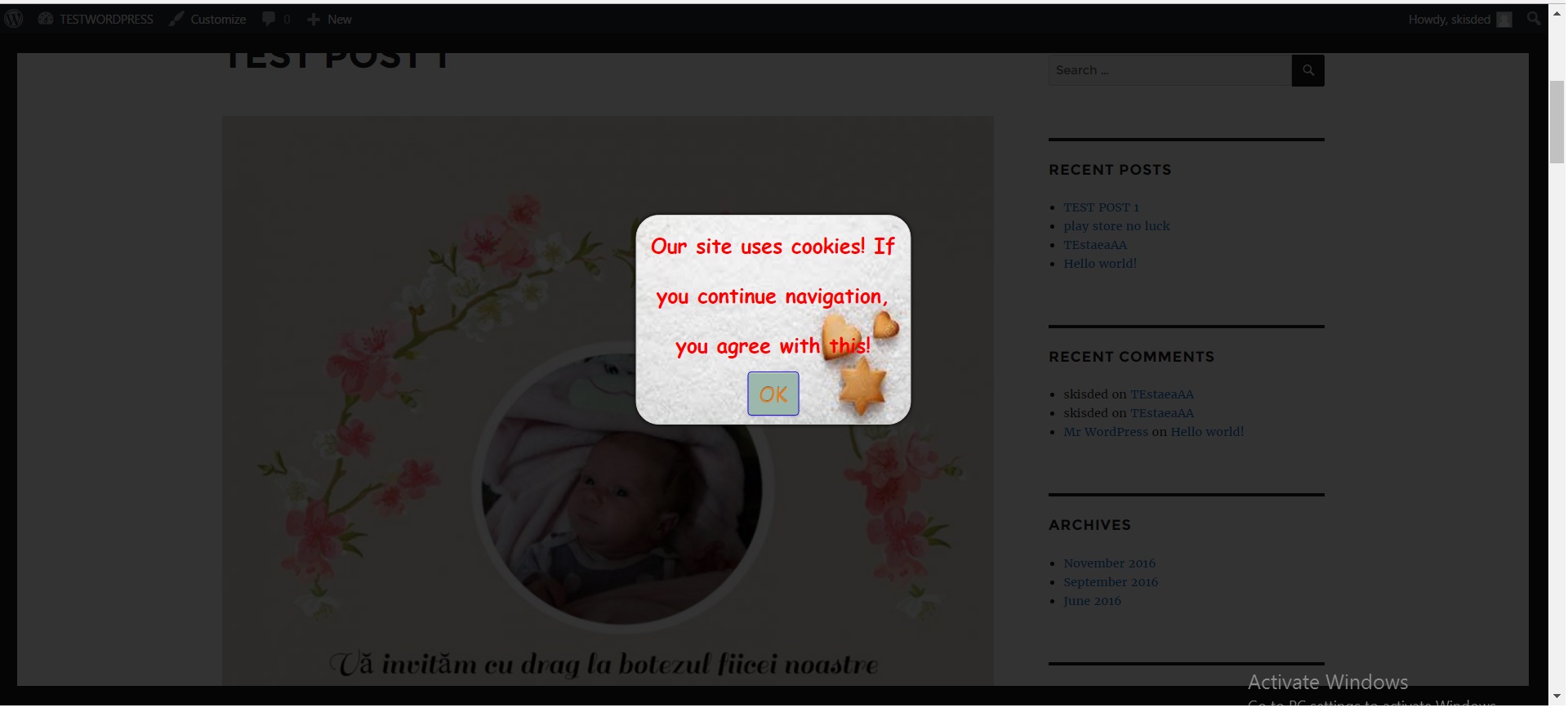
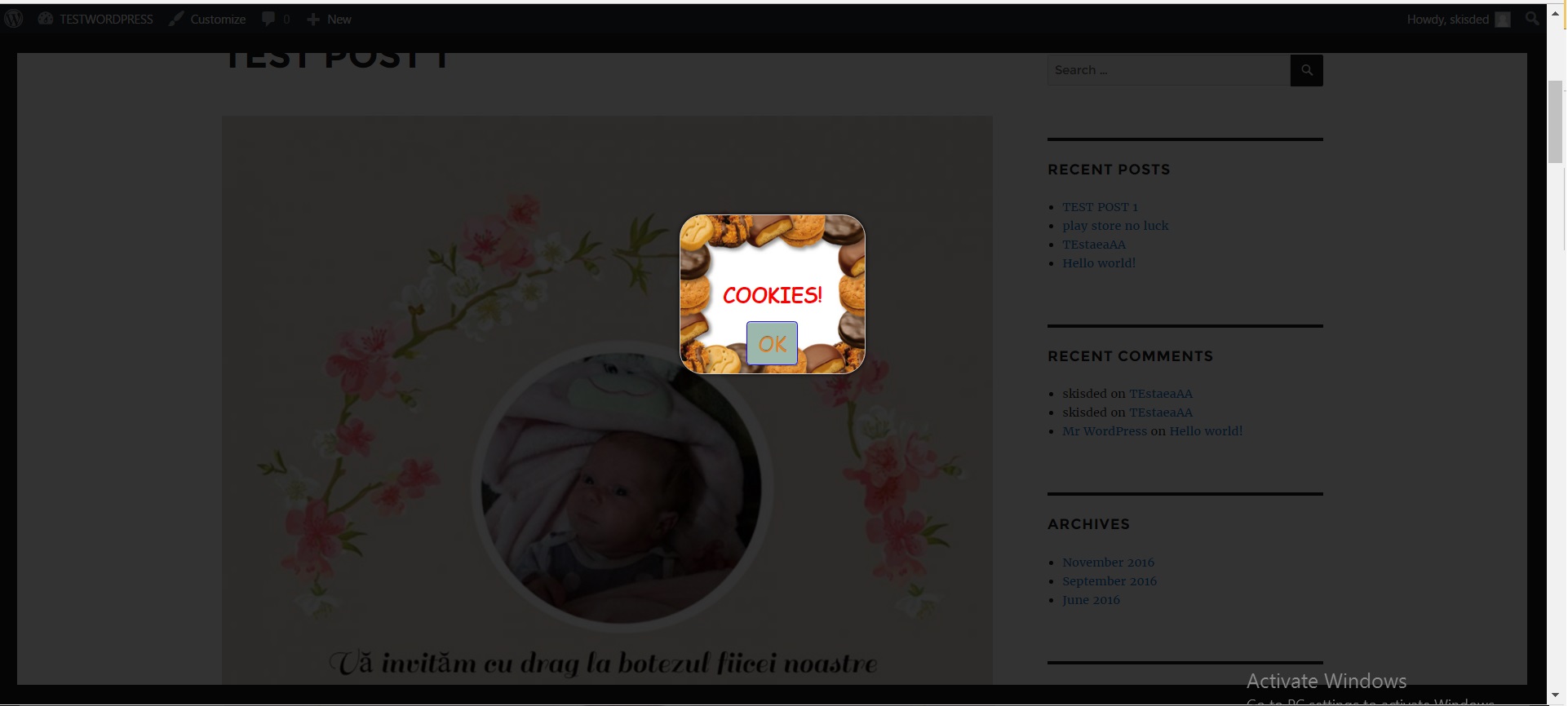
Results: If everything is configures well, you can see the results of this script by navigating to your website. You will see a notification box indicating that your website uses cookies (depending on how you configured it). Here are some examples:
Top panel style:
Bottom panel style:
Bottom right popup style:
Bottom left transparent popup style:
Top right transparent popup style:
Top left popup style with image background:
Center popup style with image background (1):
Center popup style with image background (2):
Summary
Fortune Cookie Consent Policy script is a simple, yet powerful tool you can use to make your website “cookie law proof”. It can protect you from the hassle caused by your website not being fully EU (or other) cookie law compliant. The setup and settings of the script couldn’t have been easier. Now, let’s go and enjoy the results of this great script! Have fun using it!
Sources and Credits
This component was made by Szabi Kisded, for more information and support contact us at support@coderevolution.ro
Once again, thank you so much for purchasing this item. As I said at the beginning, I’d be glad to help you if you have any questions regarding this script and I’ll do my best to assist.
Kisded